


- Ecommerce merchandising decides which products an online store shows, where it shows them, in what order and how they are presented.
- The main levers are category structure, sort order, on-site search, product pages, cross-sells and promotions.
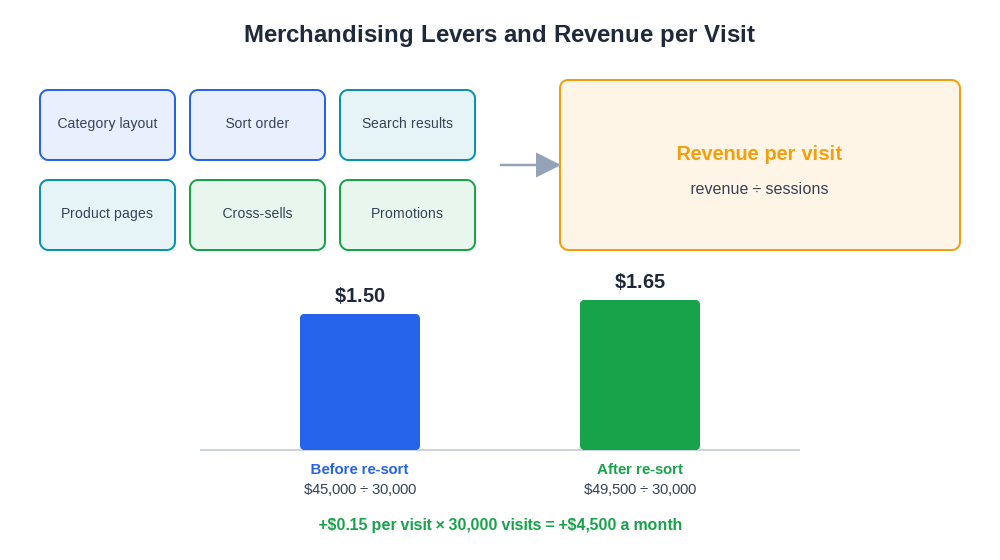
- Revenue per visit (revenue divided by sessions) ties the levers together because it captures both conversion rate and order value.
- Test sort and layout changes against a control. Seasonality and promotions alone can move revenue per visit by more than 10%.
Where AmICited fits
With a connected shop, AmICited’s Assortment report ranks every product by revenue with its running share of the total, so you can see how few products carry most of your sales before you decide what to feature.
See the assortment report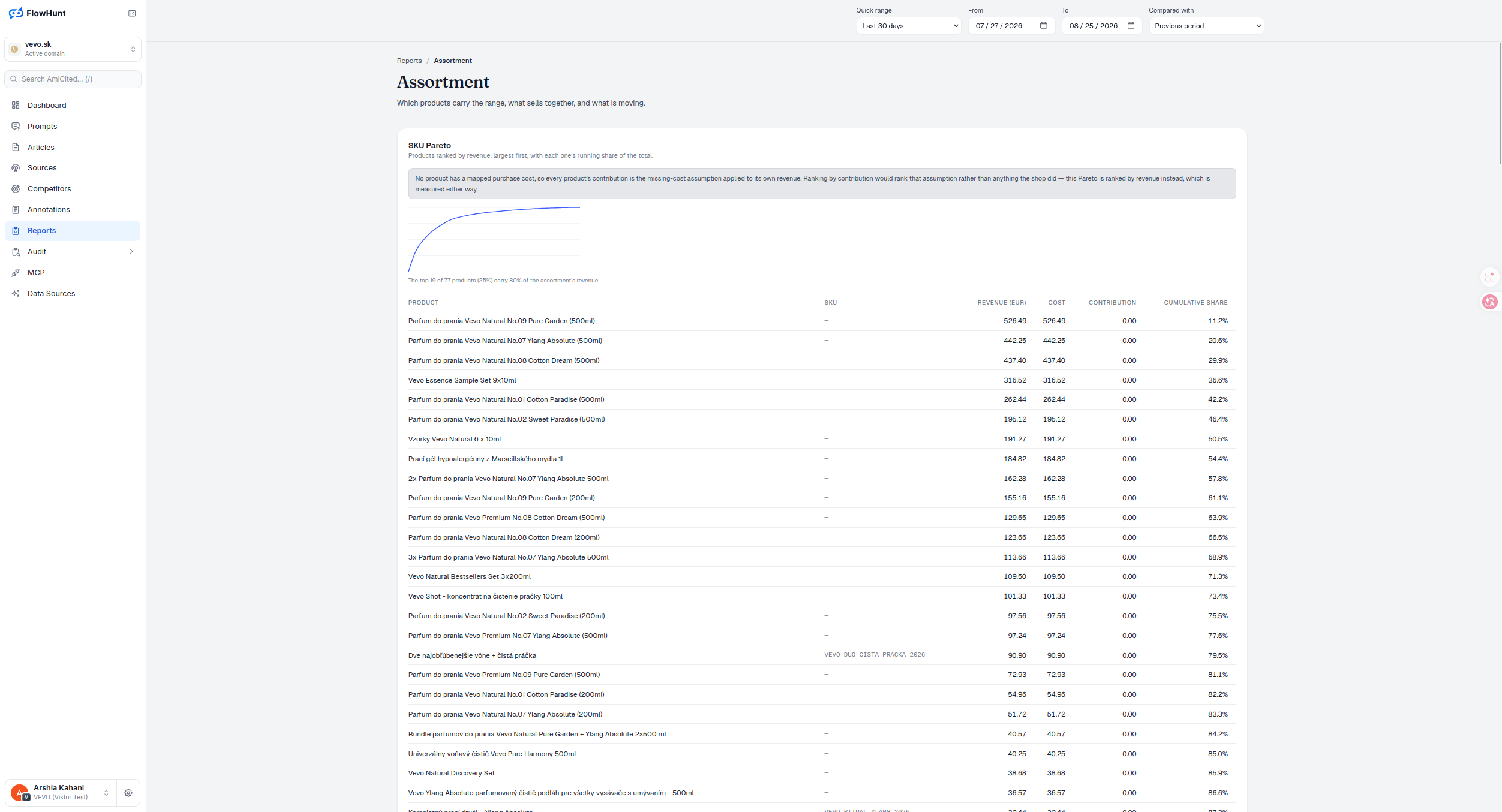
What Is Ecommerce Merchandising?
Ecommerce merchandising is the work of deciding which products an online store shows, where it shows them, in what order, and how they’re presented. It’s the online equivalent of a store manager deciding what goes in the window, what sits at eye level and what goes on the end-of-aisle display.
Merchandising teams at online retailers own it, often working with buyers, marketing and ecommerce managers. Smaller stores do it in their platform’s collection settings: Shopify lets you sort collections manually or automatically, and most platforms have search and recommendation apps with merchandising rules. Larger retailers use dedicated tools for search merchandising, ecommerce personalization and product recommendations.
How Ecommerce Merchandising Works
Merchandising works through a set of levers:
- Category structure and navigation. How products are grouped, and which faceted navigation filters shoppers can use to narrow them down.
- Sort order. Which products appear first in each category: best sellers, new arrivals, highest margin, in-stock first, or a manual order.
- On-site search. Which results appear for each query, synonyms, boosts and buries, and what happens on “no results”.
- Product pages. Images, titles, descriptions, badges, size guides and reviews on each product detail page.
- Cross-sells and upsells. “Frequently bought together”, “complete the look” and premium alternatives. See cross-sell for the mechanics.
- Promotions and collections. Gift guides, seasonal edits, bundles and sale sections.
The metric that ties these together is revenue per visit, because it captures both conversion rate and order value:
Revenue per visit = Revenue ÷ Sessions
Say a category gets 30,000 visits a month and produces $45,000 in revenue. Revenue per visit is $45,000 ÷ 30,000 = $1.50. You change the default sort from “newest” to a mix of best sellers and in-stock items with good reviews, and the next comparable month brings $49,500 from the same 30,000 visits, or $1.65 per visit. That $0.15 per visit is worth $4,500 a month for one category.
To be confident the sort change caused the lift, run it as an A/B test or compare against a control category over the same period. Seasonality and promotions can easily move revenue per visit by more than 10% on their own.
Most teams plan merchandising on a calendar. Each week or month has a focus (a season, a holiday, a product launch, a clearance push) and the homepage, key categories, email and paid campaigns line up behind it. The calendar should come from data as much as from marketing: when your own orders peak, which products sell in which season, and which products have stock to support a push. A merchandising plan that features a product with three weeks of stock left creates a stockout, not a sale.
Ecommerce Merchandising Levers Compared
| Lever | What it changes | Main metric | Effort |
|---|---|---|---|
| Category sort order | Which products get seen first | Click-through to product, revenue per visit | Low |
| On-site search tuning | Results for specific queries | Search conversion rate, zero-result rate | Medium |
| Product page content | How well a product sells once seen | Add-to-cart rate, conversion rate | Medium per product |
| Cross-sells and bundles | Items per order | Average order value | Low to medium |
| Collections and landing pages | Themed discovery and seasonal demand | Revenue per visit, entry conversion | Medium |
| Badges and urgency cues | Attention and confidence | Click-through, conversion | Low, but easy to overuse |
Ecommerce Merchandising vs Visual Merchandising
Visual merchandising is the physical-store discipline: window displays, fixtures, shelf placement and signage. Ecommerce merchandising has the same goals but different tools. Online you can’t arrange a display by hand, but you can change the order of 200 products in seconds, show a different sort to returning shoppers, and measure exactly what each change did.
The two meet in omnichannel retail, where an online collection and an in-store display often launch together, and where store stock levels affect what online merchandisers can promote.

Stay Updated on AI Visibility Trends
Get the latest insights on AI mentions, brand monitoring, and optimization strategies.
Ecommerce Merchandising and AI Search
AI answers are becoming a merchandising surface you don’t control. When a shopper asks ChatGPT, Perplexity or Google AI Mode for “the best running shoes for flat feet”, the AI picks the shortlist, often drawing on product pages, reviews and publisher round-ups. Your category sort order doesn’t matter if the shopper arrives already set on one product.
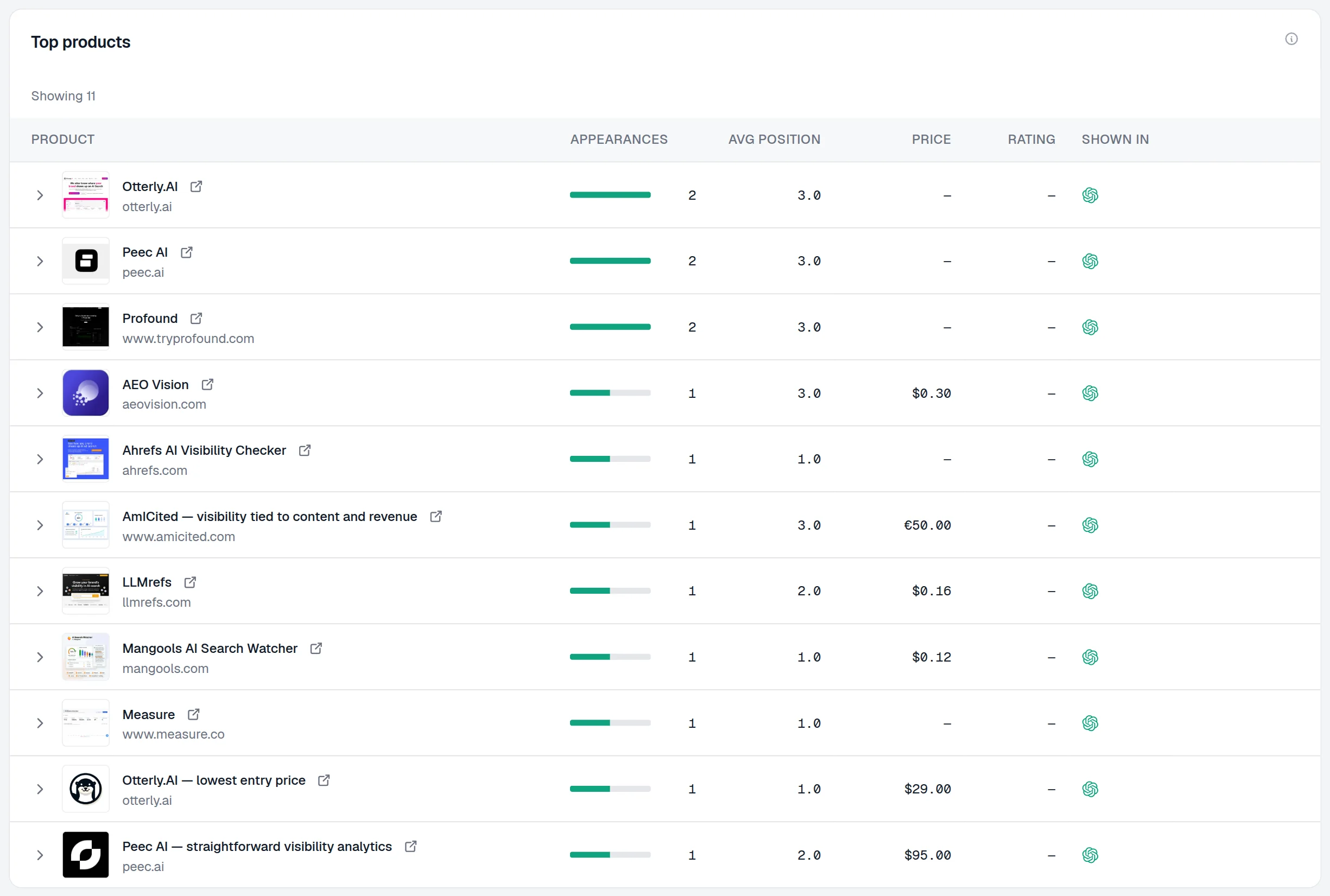
What carries over is the product page itself. Clear titles, specific attributes, honest descriptions and reviews make a product easier for AI tools to understand and describe accurately. Watching which of your products AI answers mention, through AI visibility tracking, tells you which pages to strengthen first.
Best Practices for Ecommerce Merchandising
- Know your range. Rank products by revenue and margin, for example with an assortment report, before deciding what to feature.
- Sort for the shopper, not the warehouse. Put in-stock, well-reviewed, relevant products first; push out-of-stock items down or hide them.
- Fix your top search queries. Check results for your 50 most common searches and every query with zero results.
- Merchandise by margin too. Featuring only best sellers can grow revenue while shrinking profit.
- Refresh seasonally. Update collections and homepages ahead of seasonal demand, not when it peaks.
- Test big changes. Sort logic, layout and recommendation strategies should be tested against a control.
Common Ecommerce Merchandising Mistakes
The most common mistake is leaving categories on the platform’s default sort, often “newest first” or alphabetical, which buries proven sellers behind untested products. Another is featuring products that are low in stock or about to sell out, which sends traffic to pages that can’t convert.
Merchandisers also overuse urgency badges (“only 2 left”, “selling fast”) until shoppers stop trusting them, and in some markets misleading urgency cues raise consumer protection issues. Finally, many teams judge merchandising changes by revenue alone, without checking whether they shifted sales toward lower-margin products or simply moved demand from one category to another.