


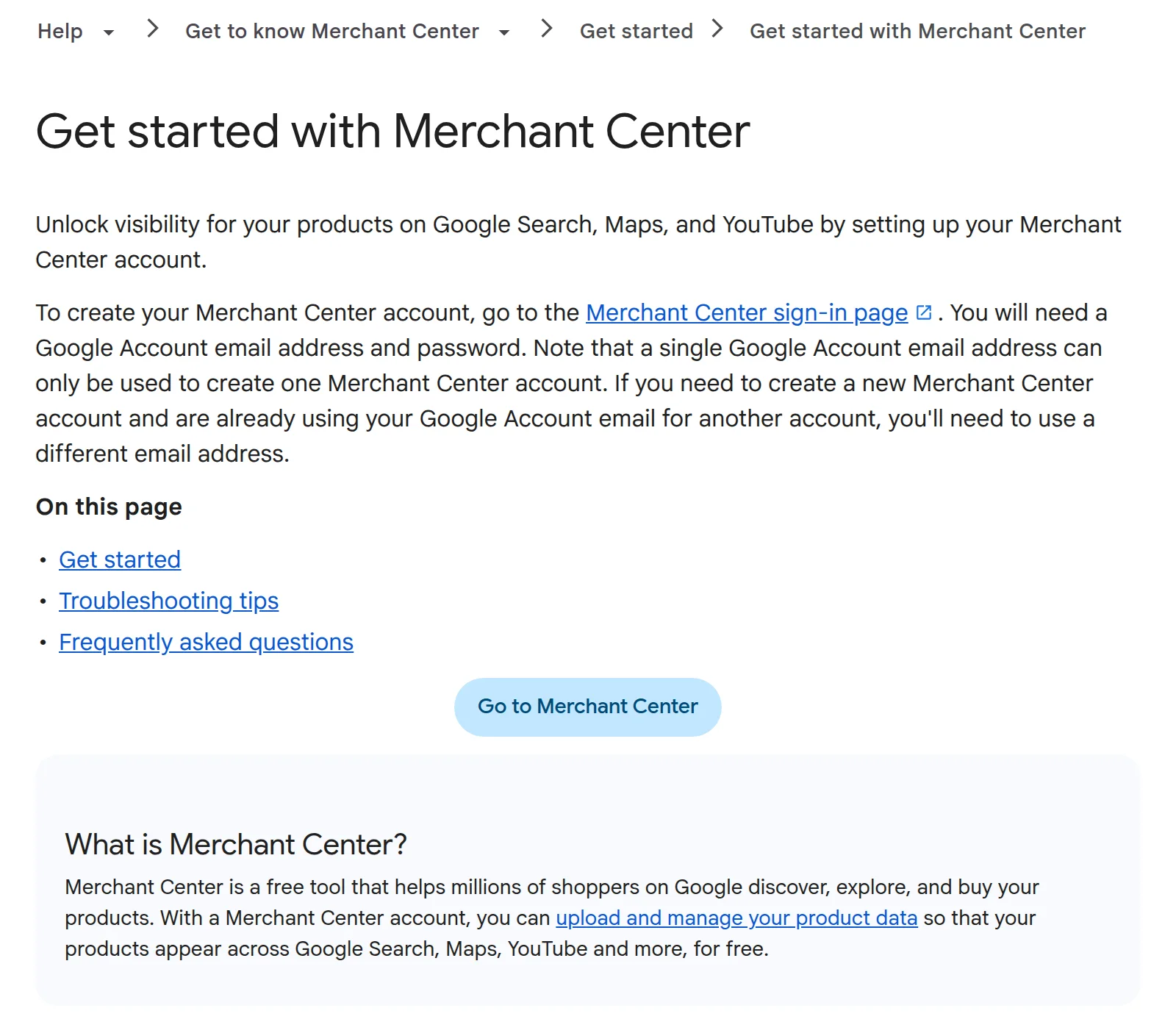
- Google Merchant Center is the free platform where sellers upload product data so their products can show in Shopping ads, free listings and other Google surfaces.
- Google checks every product against its product data specification and Shopping policies. Price and availability must match the landing page.
- Shopping ads need Merchant Center plus a linked Google Ads account. Free listings need only Merchant Center.
- Google’s Shopping Graph, which feeds product results in AI Mode, draws on Merchant Center data, so feed accuracy affects AI shopping results too.
Where AmICited fits
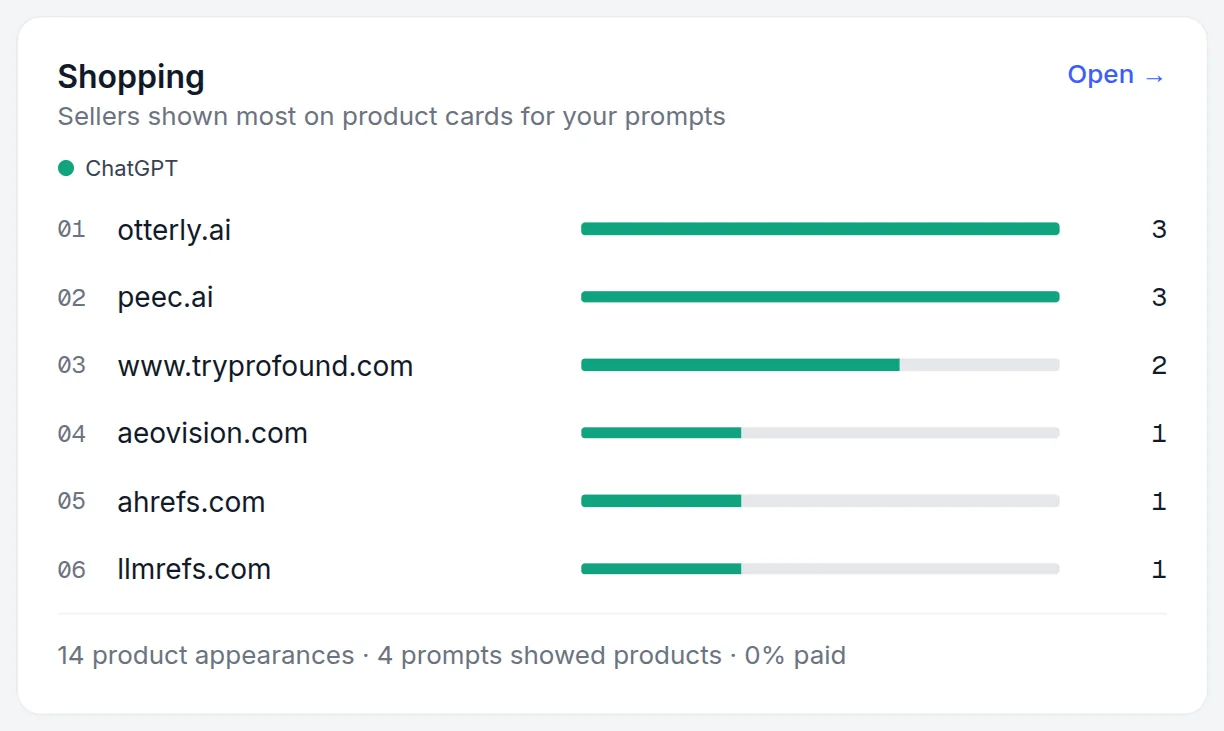
AmICited’s Shopping report shows which products and sellers AI answers put on product cards for the prompts you track, with appearances, average position, price and rating, so you can see whether your catalog reaches AI shopping results.
See AI visibility tracking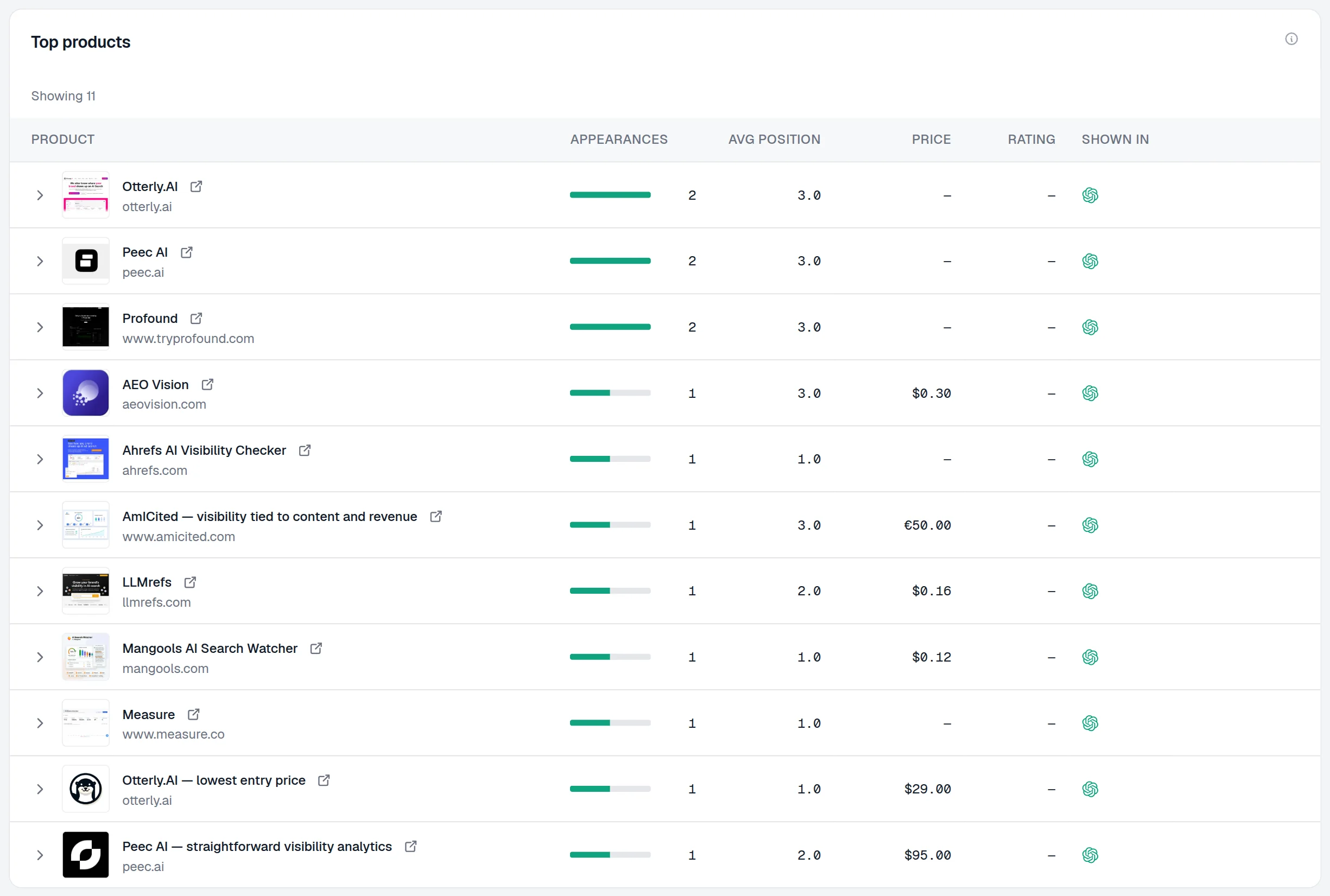
What Is Google Merchant Center?
Google Merchant Center is the free platform where online sellers give Google their product data. You upload a product feed (titles, descriptions, prices, images, availability, identifiers), Google reviews it, and approved products become eligible to appear in Google Shopping ads, free listings on the Shopping tab and in Search, and other Google surfaces such as Images and YouTube.
Any store that wants to show products on Google uses it, from small Shopify shops to large retailers. Most ecommerce platforms connect directly: Shopify, WooCommerce, BigCommerce and others have Google channels that sync products automatically. Merchant Center also links to Google Ads, where retail Performance Max and Standard Shopping campaigns pull their products from it.
How Google Merchant Center Works
- Create and verify the account. Add your business details, then verify and claim your website so Google knows you own it.
- Add product data. Options include a platform integration, a scheduled file feed (XML or CSV), Google Sheets, automatic collection from your site’s structured data, or the API.
- Google reviews the data. It checks attributes against its product data specification and its Shopping policies, and compares feed data with your landing pages.
- Products are approved, limited or disapproved. Approved items can show; disapproved items can’t until you fix the issues.
- Products appear on Google. Free listings show automatically for approved products. Ads need a linked Google Ads account and a campaign.
The most important feed attributes are set out in Google’s product data specification:
| Attribute | What it holds | Why it matters |
|---|---|---|
id | Your unique product ID | Tracks the item across updates and reports |
title | Product name with key details | Main relevance signal for matching searches |
description | Product details | Supports matching and shopper decisions |
link | Product page URL | Where the click lands; must match the feed data |
image_link | Main product image | Required; no watermarks or promotional text |
price | Current price and currency | Must match the landing page |
availability | In stock, out of stock, preorder, backorder | Must match the landing page |
brand and gtin | Brand and global trade item number | Required for most branded products; helps matching |
condition | New, refurbished or used | Required for some products |
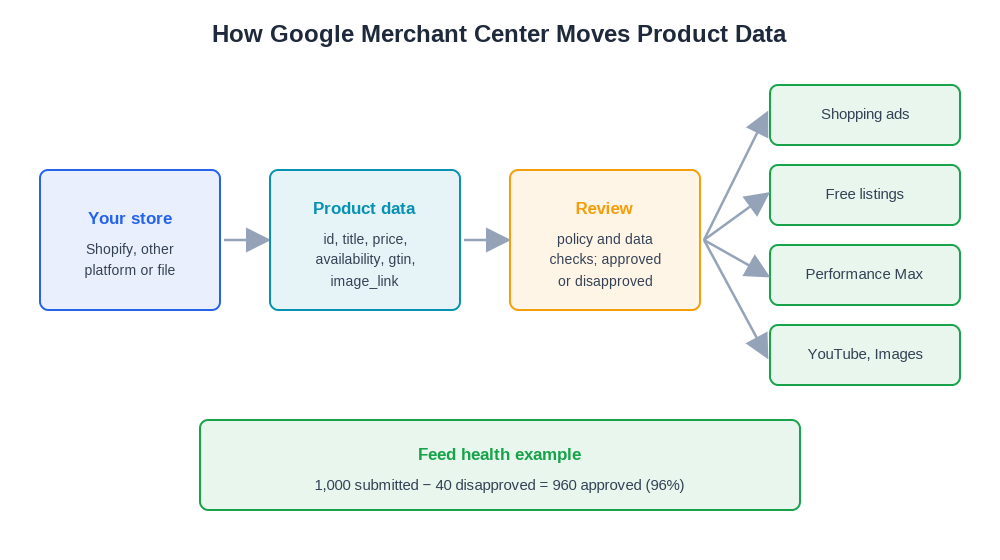
A simple way to track feed health is your approval rate:
Approval rate = Approved products ÷ Submitted products × 100
If you submit 1,000 products and 40 are disapproved, 960 are approved, so your approval rate is 96%. The more useful view is what those 40 have in common. If they all lack a GTIN or all come from one supplier’s image set, one fix clears them all.
You don’t always have to fix those issues in the source system. Merchant Center supports supplemental data sources, which add or override attributes for products already in your main feed, and rules that transform data, for example adding the brand name to the start of every title. These are useful when your ecommerce platform can’t export an attribute. Fix the source when you can, though, because rules that patch over wrong data on the website will still cause mismatches.
Google Merchant Center vs Google Ads vs Google Business Profile
The three tools are often confused because they link to each other. Merchant Center holds your product data and store policies, and it’s free. Google Ads holds campaigns, budgets and bids; it’s where you pay for Shopping ads, but it has no product data of its own and pulls it from Merchant Center. Google Business Profile manages your physical business listing on Maps and local results.
You need Merchant Center and Google Ads together to run Shopping ads. You need Merchant Center and a Business Profile together for local inventory, where Google shows that a product is in stock at a nearby store. A pure online store with no ads needs only Merchant Center to appear in free listings.
Google Merchant Center and AI Search
Google’s shopping experiences, including product results in AI Mode, draw on its Shopping Graph, and Merchant Center is one of the main ways merchants feed product data into it. That means accurate titles, prices, availability, GTINs and reviews in Merchant Center affect whether Google can show your products in AI-driven shopping results, not only in classic Shopping ads.
Merchant Center data is not the whole story, though. Whether an AI answer recommends your brand also depends on reviews, publisher coverage and community discussion. A broader product feed for AI approach, plus AI visibility tracking on Google AI Overviews and AI Mode, shows how the pieces fit together for your products.

Stay Updated on AI Visibility Trends
Get the latest insights on AI mentions, brand monitoring, and optimization strategies.
Best Practices for Google Merchant Center
- Keep feed and site in sync. Price and availability mismatches are the most common cause of disapprovals and account warnings.
- Write descriptive titles. Put brand, product type and key attributes (size, color, material) in the title, most important words first.
- Provide correct GTINs. Use the manufacturer’s real barcode numbers. Don’t invent them.
- Use high-quality images. Plain or simple backgrounds, no watermarks or overlay text, and the whole product in view.
- Set shipping and returns in the account. They show in listings and help with eligibility for some annotations.
- Check diagnostics weekly. Fix new issues before they spread to more products or to the account level.
Common Google Merchant Center Mistakes
The biggest mistake is ignoring account-level warnings. Issues like “misrepresentation” can suspend the whole account, which stops every product at once, and are often caused by missing contact details, unclear return policies or claims the site can’t support. Another is fixing disapprovals with feed rules while the website still shows the wrong data, which leads to repeat disapprovals.
Merchants also leave titles as short internal product names, which limits the searches the products can match. And many forget to update the feed during sales: a sale price on the site that isn’t in the feed creates a price mismatch exactly when traffic peaks.