



Product Schema
Product Schema is structured data markup that helps search engines and AI systems understand product details. Learn how to implement it for better visibility in...
24 min read
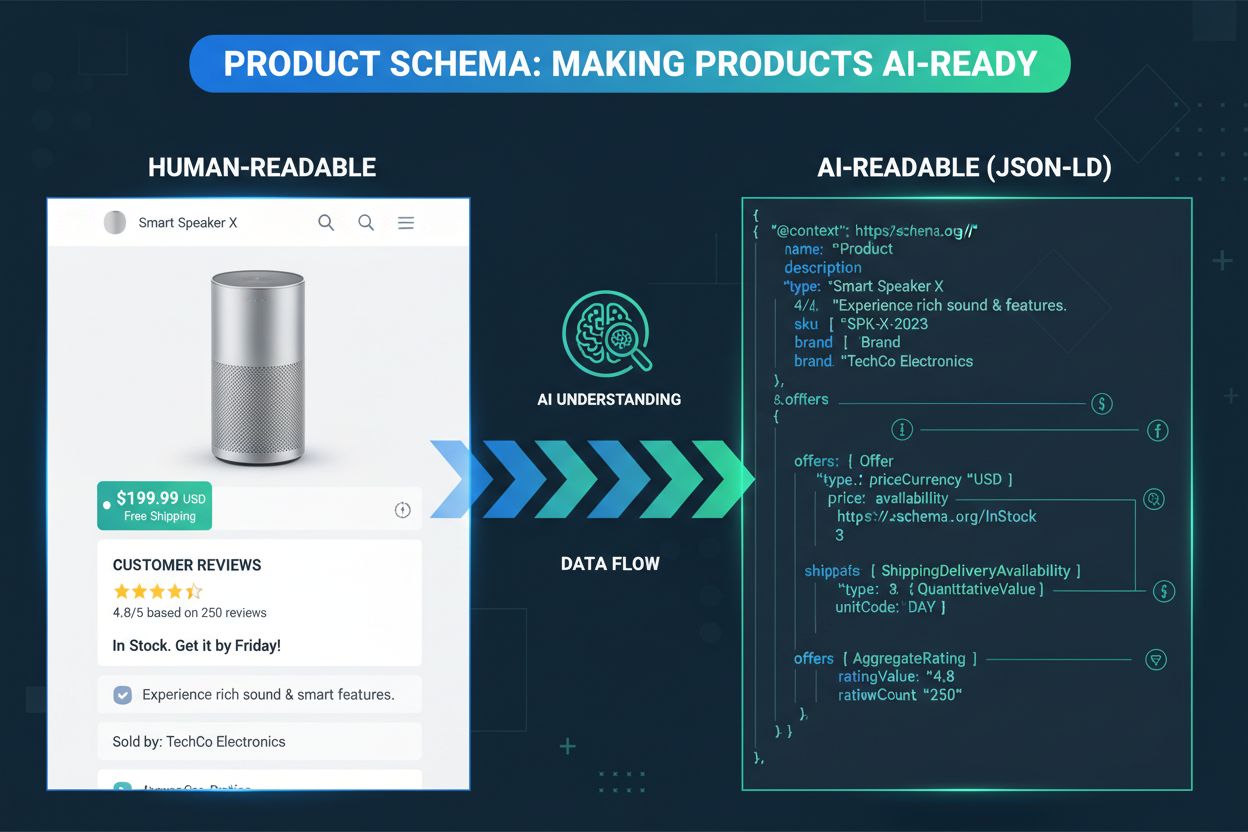
Implement product schema: Schema.org Product properties, JSON-LD syntax, Offer and AggregateRating types, validation, and which AI shopping engines read it.
Your ecommerce site can have great products, compelling descriptions, and competitive prices, yet when customers ask AI assistants for recommendations, competitors show up instead. Structured data markup is usually the difference. Unlike traditional search engines that lean on keyword matching and page content analysis, AI shopping engines depend heavily on structured data to comprehend product attributes, relationships, and context with precision. As AI shopping engines become more sophisticated, the completeness of your product schema increasingly determines whether your products are discovered, accurately represented, and recommended to potential customers at all.
This guide covers both the why and the how: why product schema drives AI shopping visibility, which AI shopping engines actually read it, and the exact properties, JSON-LD syntax, nested types, platform setup, and validation steps needed to get it right the first time. Getting implementation right matters because AI systems can’t infer meaning from a product page the way a human shopper can. They scan for structured data in specific formats and specific properties, and gaps in that markup are gaps in what AI systems can say about your product.
When an AI shopping engine crawls your website, it extracts structured product data and feeds it into its Knowledge Graph, a vast database of interconnected product information that powers intelligent search and recommendation features. This is a fundamentally different process than traditional keyword indexing.
| Aspect | Traditional Search | AI Shopping Engines |
|---|---|---|
| Data Source | Page content + meta tags | Structured schema + content |
| Understanding | Keyword-based matching | Semantic comprehension |
| Product Context | Limited | Comprehensive |
| Recommendation Quality | Basic filtering | Advanced AI analysis |
This structured approach lets AI systems understand not just what a product is but its specifications, pricing, and availability in one unified, machine-readable profile, rather than piecing it together from scattered page text. The exact properties that feed this profile are covered in detail below.


Track how AI chatbots mention your brand across ChatGPT, Perplexity, and other platforms.
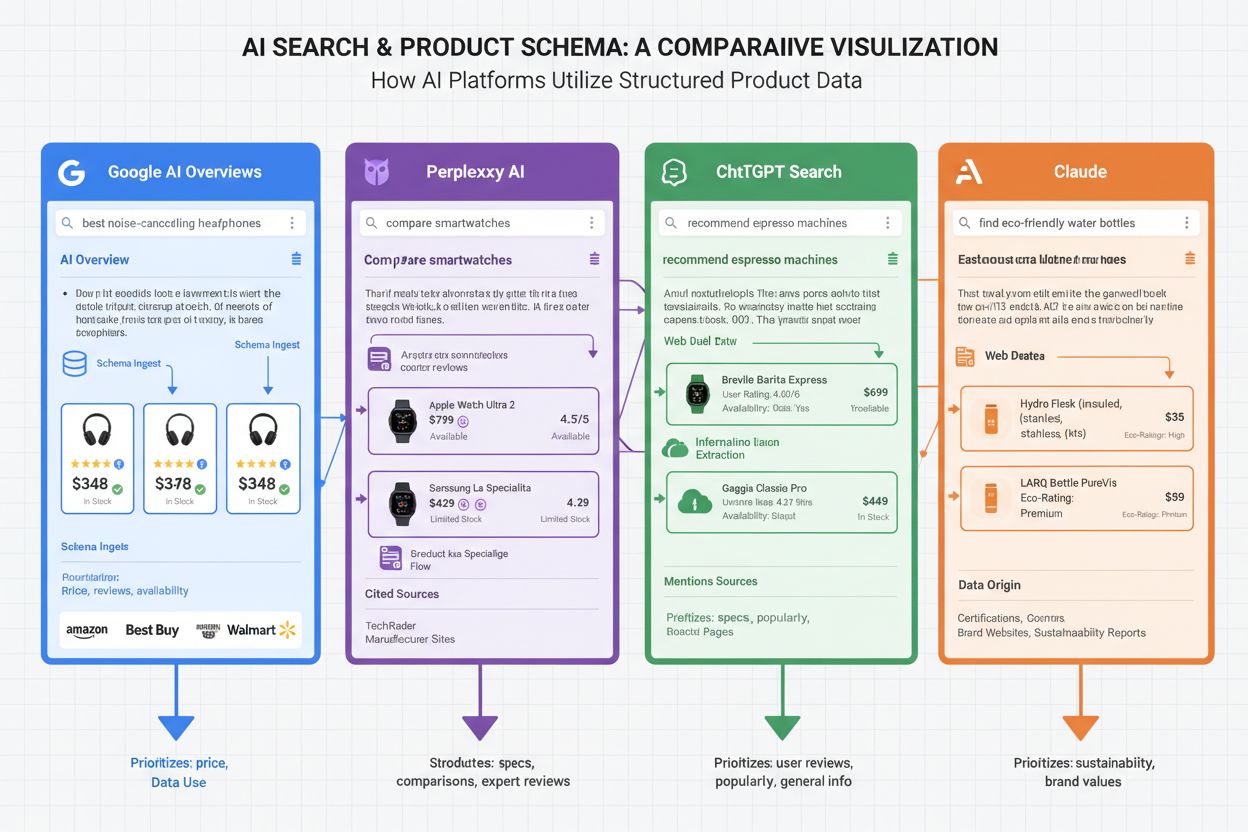
Not every AI shopping engine weighs the same properties the same way, and knowing the differences helps you prioritize where to focus. Google AI Overviews (formerly SGE) relies heavily on product schema to generate AI-powered shopping summaries that appear at the top of search results; its dependence on complete price, availability, and rating data makes schema implementation critical for anyone trying to appear in Google’s AI features. Perplexity AI uses product schema to provide accurate product information, pricing, and availability in its conversational search results, and it noticeably favors citing sources with well-structured data over those without. ChatGPT Search integrates product schema data to deliver current pricing, stock status, and product descriptions when users ask shopping-related questions, prioritizing sources with comprehensive structured data over ones it has to infer from prose. Claude and other AI assistants increasingly reference products with proper schema markup when answering consumer questions, because structured data provides reliable, verifiable information that’s easier to trust than free-text claims.
The standard vocabulary for product schema markup comes from Schema.org, an open-source collaborative project supported by Google, Microsoft, Yahoo, and Yandex that defines how to mark up different types of content. The Product type is the backbone of ecommerce structured data. At minimum, a complete implementation includes: name (the exact product title, matching what’s on the page), description, sku (your internal stock-keeping unit), gtin or mpn (the manufacturer’s global identifier, useful for cross-referencing your listing against manufacturer catalog data), brand, image (one or more URLs, ideally multiple angles), and category. None of these properties are optional if you want AI systems to have a complete picture, an incomplete Product block is one of the most common reasons products get skipped over in AI-generated recommendations.
| Property | Type | Purpose |
|---|---|---|
name | Text | Exact product title for matching |
sku / gtin / mpn | Text | Unique identifiers, prevents duplicate listings |
brand | Brand object | Manufacturer or brand name |
image | URL(s) | Visual data AI systems can analyze |
category | Text | Classification for filtering and comparison |
offers | Offer object | Price, availability, purchase URL |
aggregateRating | AggregateRating object | Overall rating score |
review | Review object(s) | Individual customer feedback |
Get the latest insights on AI mentions, brand monitoring, and optimization strategies.
The top-level Product properties only get you halfway there, the nested objects are where most of the actionable detail lives. The Offer object carries price, priceCurrency, availability (using Schema.org’s controlled vocabulary like https://schema.org/InStock), url, and optionally priceValidUntil for time-limited pricing. Without a valid Offer, AI systems have no reliable answer to “is this in stock and how much does it cost,” which is frequently the deciding factor in whether a product gets recommended at all. The AggregateRating object carries ratingValue, reviewCount, and optionally bestRating/worstRating to define the scale; omit the scale and some parsers assume a default that may not match your actual rating system. The Review object nests individual reviews with author, reviewBody, datePublished, and a reviewRating sub-object. You don’t need to embed every review in your Product schema (that bloats the page); embedding a representative sample alongside the aggregate is standard practice.
JSON-LD (JavaScript Object Notation for Linked Data) is the preferred implementation format because it lives in a single, self-contained <script> block rather than being scattered across HTML attributes, separating structured data from your markup makes both easier to maintain. Here’s a complete example combining the properties above:
{
  "@context": "https://schema.org",
  "@type": "Product",
  "name": "Premium Waterproof Hiking Boots",
  "description": "Durable waterproof hiking boots with ankle support and grip sole",
  "image": "https://example.com/hiking-boots.jpg",
  "brand": {
    "@type": "Brand",
    "name": "TrailMaster"
  },
  "offers": {
    "@type": "Offer",
    "price": "149.99",
    "priceCurrency": "USD",
    "availability": "https://schema.org/InStock",
    "url": "https://example.com/hiking-boots"
  },
  "aggregateRating": {
    "@type": "AggregateRating",
    "ratingValue": "4.7",
    "reviewCount": "328"
  },
  "sku": "HB-WP-001",
  "mpn": "TRAILMASTER-HB-2024"
}
This block should be placed inside <script type="application/ld+json"> tags, either in the page <head> or within the page body, both are valid, but placing it in the <head> means AI crawlers encounter it before they have to parse the rest of the page content.
Most ecommerce platforms generate some baseline schema automatically, but “some” is doing a lot of work in that sentence. Shopify themes typically output name, price, and availability by default, but frequently skip aggregateRating and review; if your theme doesn’t natively support reviews schema, you’ll need a review app that writes its own JSON-LD or a custom Liquid template addition. WooCommerce implementations vary enormously depending on which SEO plugin is active; Yoast and RankMath both generate Product schema, but coverage of nested Offer and Review properties differs between them, so audit the actual output rather than assuming the plugin handles everything. Magento’s built-in Product schema is comparatively strong out of the box but commonly omits gtin/mpn, which matters if AI systems are cross-referencing your listing against manufacturer data. In every case, the fix is the same: view page source, find your JSON-LD block, and check it against the property table above rather than trusting that “the platform handles schema” is a complete answer, especially if you’re also optimizing for AI search across multiple platforms at once.
Implementation isn’t done until it’s validated. Google’s Rich Results Test checks whether your schema is not just technically valid but eligible for enhanced search features, run every template through it, not just one sample page. Schema.org’s own validator catches syntax errors that Rich Results Test might not flag. Google Search Console surfaces schema-related errors and warnings across your whole site over time, which is the best way to catch regressions after a theme update or plugin change. Before rolling out schema changes site-wide, test on a representative subset of pages, different product types (bundles, variants, out-of-stock items) tend to break templates in different ways, and catching that on ten pages is a lot cheaper than catching it on ten thousand.
Static schema that goes stale is arguably worse than no schema at all, because it actively feeds AI systems incorrect information. Real-time data updates are non-negotiable for price and availability; implement automated processes that regenerate schema whenever your product database changes, rather than relying on manual edits or periodic batch jobs. The most reliable pattern is pulling schema data from the same source of truth as your visible page content, so the two can never drift apart. AI systems weight consistency and freshness when deciding which sources to trust for recommendations, and a schema block that hasn’t matched reality for three weeks does more harm than good.
The payoff from schema implementation shows up on a predictable timeline. Rich result impressions typically improve within 2-4 weeks of proper implementation, visible first in Google Search Console. AI Overview appearances and voice search visibility gains usually follow within 4-8 weeks. Business metrics, conversion rate improvements and average order value increases, typically show up within 2-3 months, once AI systems have had enough exposure to your structured data to trust and recommend your listings consistently.
This is why schema is a business decision, not just a technical checkbox. If you sell across multiple marketplaces as well as your own site, implementing schema on your own domain still matters: it establishes your site as the authoritative source AI systems can cite directly, rather than leaving AI shopping engines to pull exclusively from marketplace listings you don’t fully control. As AI shopping assistants increasingly recommend products directly, you want them citing you, not just the marketplace that happens to host your listing.
Measuring schema’s business impact requires tracking metrics beyond traditional SEO. AmICited.com provides a centralized dashboard where you can monitor how frequently your products appear in AI search results across different platforms, so you’re not manually asking ChatGPT and Perplexity the same questions every week. ROI tracking involves comparing the cost of implementing and maintaining schema against the revenue generated from AI-referred customers, which helps justify continued investment. Before you can trust any of these numbers, though, it’s worth confirming basic AI crawler access to your pages, citation tracking is meaningless if the crawlers can’t reach your product pages in the first place. Set up alerts for when your products are cited in major AI platforms, and compare your performance against competitors to identify gaps in your current schema strategy.
| Mistake | Problem | Fix |
|---|---|---|
| Incomplete properties | Missing gtin/mpn/aggregateRating leaves AI systems guessing | Audit against the full property table, not just the platform default |
| Mismatched data | Schema values differ from what’s shown on the page | Generate schema and page content from the same data source |
| Deprecated properties | Using schema types or fields search engines no longer recognize | Review schema.org changelogs quarterly |
| Keyword stuffing | Padding descriptions or fake reviews inside schema | Keep schema honest; AI systems increasingly detect manipulation |
| No real-time sync | Prices and inventory become stale in the JSON-LD | Automate schema regeneration on data change |
Beyond the table, one structural mistake deserves its own callout: implementing schema only on desktop templates. If your mobile theme renders a stripped-down page, verify its JSON-LD block is complete too, mobile-first indexing means a thin mobile schema can undercut an otherwise solid desktop implementation.
A few strategic mistakes compound these technical ones and specifically cost businesses AI visibility. Treating schema as a one-time project rather than an ongoing commitment: AI platforms evolve their data requirements over time, weighting different properties as their shopping features mature, and a strategy that made sense a year ago may be leaving visibility on the table today. Writing product descriptions for keyword density instead of clarity: AI systems increasingly penalize manipulative product descriptions and reward natural, accurate ones that give them real information to summarize. Relying solely on marketplace presence: without your own schema, you have zero control over how AI systems characterize your brand relative to competitors selling the same product. See also the technical errors that most commonly hurt AI search performance more broadly.
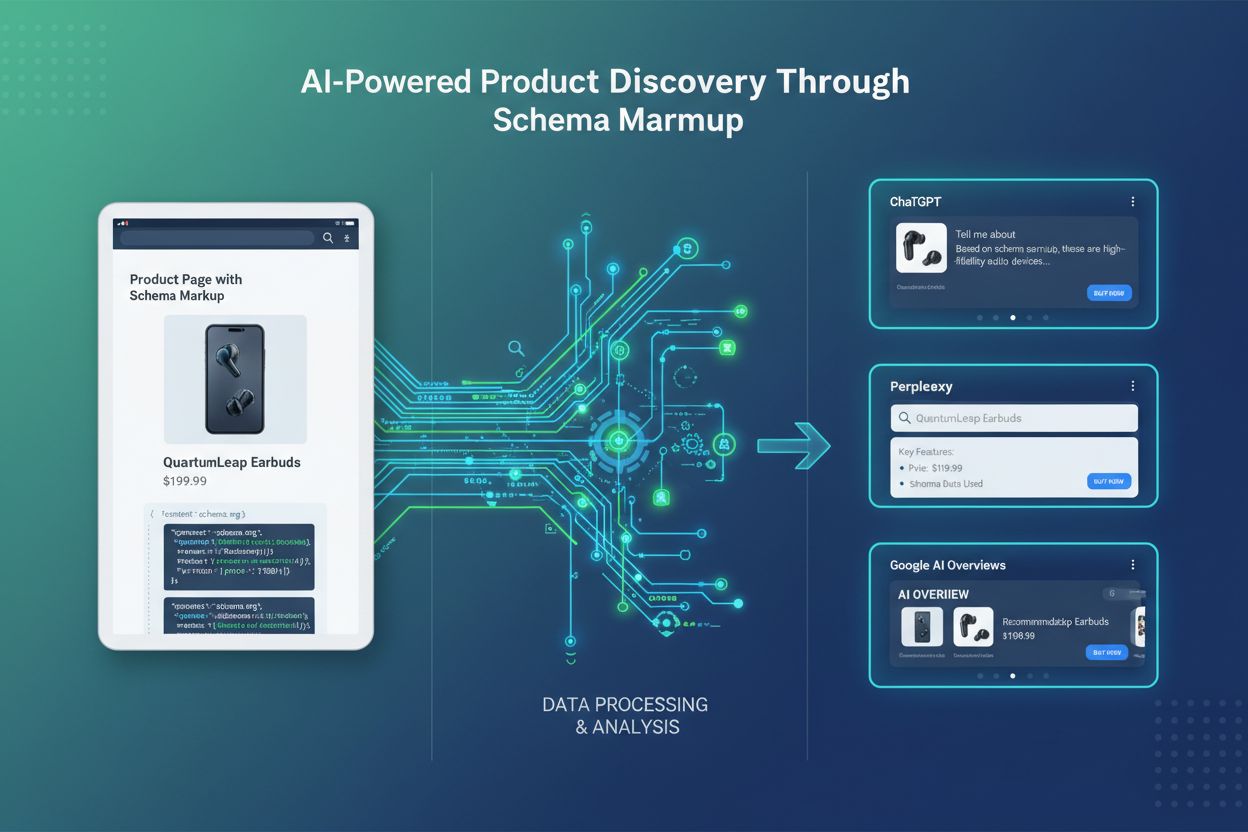
Once the fundamentals are solid, nested schema relationships let you describe more complex catalogs: product bundles and sets, compatible accessories, replacement parts, and size/color variants via ProductGroup and isVariantOf. Multi-language schema matters for international catalogs; implement schema per locale rather than relying on one canonical language block, since AI systems increasingly serve language-specific recommendations. Keeping this structured data complete and in sync across every template and locale also supports multi-channel visibility, since the same underlying JSON-LD feeds AI Overviews, Perplexity, ChatGPT, and voice assistants simultaneously rather than requiring separate implementations for each.
A broader semantic layer is also emerging across ecommerce platforms, one that goes beyond basic attributes to include relationships, use cases, and sustainability data, richer than what most schema implementations capture today. Emerging capabilities like visual search integration, voice commerce, and personalized recommendations will increasingly depend on comprehensive, well-structured product data to function at all. Looking ahead, as conversational commerce schema types mature, covering multi-turn product discovery and agent-initiated transactions, they’re expected to extend this property set rather than replace it, so a well-structured Product implementation today is the foundation those additions will build on. As competition intensifies among AI shopping platforms, the merchants providing the highest-quality structured data will be the ones AI systems trust to build superior recommendation experiences around, creating a compounding incentive to invest in schema now rather than after competitors have already claimed that trust.
Yasha is a talented software developer specializing in Python, Java, and machine learning. Yasha writes technical articles on AI, prompt engineering, and chatbot development.

AmICited tracks how AI systems reference your products across ChatGPT, Perplexity, Google AI Overviews, and more. Verify that your schema implementation is translating into real AI citations.
Product Schema is structured data markup that helps search engines and AI systems understand product details. Learn how to implement it for better visibility in...
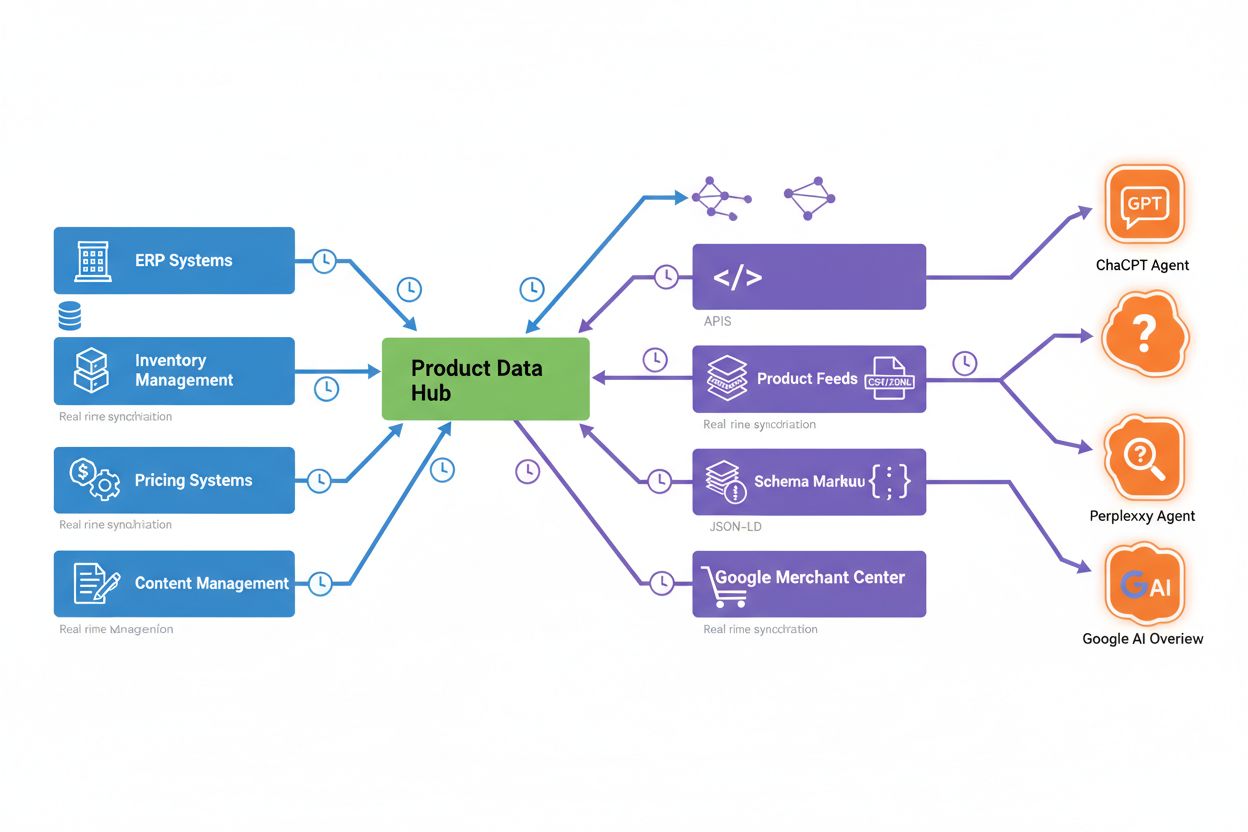
Learn the technical requirements for product data in agentic commerce. Discover structured data formats, synchronization strategies, and optimization techniques...
Cookie Consent
We use cookies to enhance your browsing experience and analyze our traffic. See our privacy policy.