


How to Manage Your Tracked Competitors List
Manage the tracked competitors shown in AmICited charts, including each brand’s AI share and trend.

The Tracked competitors list is the set of brands you’ve chosen to measure yourself against, the ones that appear in your Share-of-voice chart. It’s where you keep your competitive comparison focused and current.
Quick Steps
- The Tracked competitors card on the Competitors page lists each brand’s rank, share, trend, and tracking status.
- Add competitors from the Detected list, or manually by URL for known rivals not yet surfaced.
- Remove brands that aren’t real competitors so your Share-of-voice chart stays meaningful.
- Check your own rank against the field, and pair it with your AI Visibility Score for the fuller picture.
- Review the list on a cadence, since who’s winning citations in your category shifts over time.
What is a tracked competitor list?
A tracked competitor list is the curated set of brands a monitoring tool compares against yours when it reports on AI search visibility : how often ChatGPT, Perplexity, Gemini, and Google AI Overviews mention or cite a brand in response to relevant prompts. This is a different discipline from traditional competitor analysis , which typically benchmarks keyword rankings, backlinks, or paid-search spend. AI competitor tracking instead asks a narrower, more direct question: when someone asks an AI assistant a question in your category, whose name comes up, and how often?
The core metric a tracked list feeds is share of voice , the percentage of category-relevant AI answers in which each brand is mentioned or cited, relative to every other brand in the set. Share of voice only means something in context: 20% is a strong result against three tough rivals and a weak one against fifteen loosely related brands. That’s why the composition of the list, not just the raw citation count, determines whether the resulting chart is useful. A list stuffed with tangential or long-tail domains dilutes the denominator and makes every brand’s share look artificially small; a list limited to genuine rivals produces a share-of-voice figure you can actually act on.
Most AI visibility platforms populate this list two ways. The first is automatic detection: the platform scans AI answers to your tracked prompts and surfaces any brand or domain that gets mentioned alongside or instead of you, whether or not you asked for it to be watched. The second is manual entry: you add a known competitor by name or URL even if the platform hasn’t yet detected it in an answer. The distinction matters because AI-generated answers surface competitors you might not think to track through conventional means; a brand that ranks nowhere in classic search can still be the one an LLM cites for a given prompt, and a tracked list is how you catch that before it becomes a blind spot.
This concept sits alongside prompt tracking and citation monitoring as one of the three pillars of a generative engine optimization program: you decide which prompts to watch, you monitor whether and how AI engines cite you for them, and you compare your performance against a defined competitive set. Get the competitive set wrong, too broad, too narrow, or stale, and every downstream chart, trend, and alert built on it inherits that distortion.

Where to find it
It’s the Tracked competitors card on the Competitors page, between the Share-of-voice chart and the Detected competitors list. The heading notes how many brands are shown in your charts, so you can see your comparison set size at a glance without opening a settings panel. Because the card sits directly beneath the chart it feeds, it’s the fastest way to check why a chart looks the way it does; if a rival’s line is missing, or an unfamiliar name is inflating the field, this is the first place to look.
What it shows
Each row is a tracked brand:
- Its rank and brand name / domain, with your own flagged you and labelled your brand.
- Its share of category answers, with a trend indicator and a small sparkline showing recent movement.
- A Tracking badge confirming it’s active in your charts.
The rank column orders brands by their current share, so your own position relative to the field is visible without any extra calculation; you can see immediately whether you’re leading the comparison set, sitting mid-table, or trailing behind a competitor who’s picking up more citations than you across your tracked prompts. The sparkline is worth reading alongside the raw share number: a brand with a modest share but a rising trend is a more urgent thing to watch than a brand with a larger but flat or declining share, because it signals a competitor actively gaining ground in AI answers rather than holding a static position.
How to use it
- Confirm your comparison set. These are exactly the brands your Share-of-voice chart plots; make sure they’re the ones that matter. If your list includes a brand you no longer compete with, or is missing one that keeps appearing in your prompt results, the chart is telling you an incomplete story.
- Add from Detected. To grow the list, use + Add on the Detected competitors below, or + Add Competitor for a known rival by URL. Detected competitors are brands AmICited’s crawl of your tracked prompts has already surfaced organically; they showed up in a real AI answer, which is a stronger signal of relevance than a brand you assume is a rival but that AI engines rarely mention alongside you. Adding a known competitor manually by URL is useful for rivals you know matter strategically even if they haven’t yet appeared, or for newer entrants you want to watch before they start showing up in citations.
- Keep it curated. Remove brands that aren’t real competitors so your charts stay meaningful. A directory site, a marketplace, or a tangential brand that occasionally gets swept into an AI answer can crowd out the comparisons that actually matter; pruning the list periodically keeps your share-of-voice trend a fair read on your real competitive standing rather than statistical noise.
- Read it next to your rank. Your position here, versus the tracked field, is the clearest measure of your competitive standing. Checking this alongside your own AI visibility score gives you two complementary views: one absolute (how visible you are overall) and one relative (how visible you are compared to the brands you’re actually competing with for the same prompts).
Together with auto-detection and manual adds, this list is how you decide who your AI-visibility numbers get compared against. Treat it the way you’d treat an AI rank tracker ’s keyword set: review it on a cadence, not just once at setup, because the brands winning citations in your category can shift as competitors publish new content, launch products, or improve their own GEO efforts. Revisiting the list monthly, or after any major move by a rival, keeps the Share-of-voice chart an accurate mirror of the market rather than a snapshot of assumptions made on day one.
It’s also worth remembering that AI engines don’t all draw on the same sources or reward the same content the same way. A brand that dominates share of voice in ChatGPT answers can be nearly invisible in Perplexity or Google AI Overviews, because each engine weighs citation sources, recency, and structured content differently. If you notice a competitor consistently outranking you in one engine but not another, that’s a signal worth investigating on its own rather than folding into a single blended number; the tracked list tells you who is winning, but cross-referencing it against engine-level detail tells you where.
A well-maintained tracked competitors list is also the foundation for deeper competitive work. Once you can see reliably who’s winning share of voice in your prompts, the natural next step is understanding why, which sources AI engines are pulling from when they cite a rival instead of you, and what content gap that reveals. If you’re building out that muscle, pairing this list with a structured competitor AI visibility analysis or a broader content gap analysis for AI search visibility turns a short list of names into an actual plan for closing the gap, and if you’re managing this across multiple client accounts, AmICited’s agency solution is built for exactly that kind of repeated, per-client competitive setup.
Frequently asked questions
It's the curated set of brands you compare yourself against on the Competitors page, and it's exactly what populates your Share-of-voice chart. Each row shows a brand's rank, share of category answers, a trend sparkline, and a Tracking badge confirming it's active in your charts.
Two ways: automatic detection, where AmICited surfaces a brand or domain that showed up in a real AI answer to your tracked prompts, or manual entry, where you add + Add Competitor by URL for a known rival that hasn't been detected yet. Detected competitors are a stronger relevance signal since they actually appeared in an AI answer.
Because share of voice only means something in context: a list stuffed with tangential brands or directory sites dilutes the denominator and makes every brand's share look artificially small. Removing brands that aren't real competitors keeps your Share-of-voice chart a fair read on your actual competitive standing.
On a cadence, not just once at setup, similar to how you'd maintain an AI rank tracker's keyword set. The brands winning citations in your category can shift as rivals publish new content or launch products, so revisiting the list monthly, or after a major competitor move, keeps the chart accurate rather than a snapshot of day-one assumptions.
More tutorials in this section
 How to Read Your Competitors Overview Stats
Review tracked competitors, detected brands, rank, share and category leader stats on the AmICited …
Read guide →
How to Read Your Competitors Overview Stats
Review tracked competitors, detected brands, rank, share and category leader stats on the AmICited …
Read guide →
 How Does AmICited Auto-Detect Competitors?
Learn how AmICited detects brands cited alongside you in AI answers, then review or add competitors to your …
Read guide →
How Does AmICited Auto-Detect Competitors?
Learn how AmICited detects brands cited alongside you in AI answers, then review or add competitors to your …
Read guide →
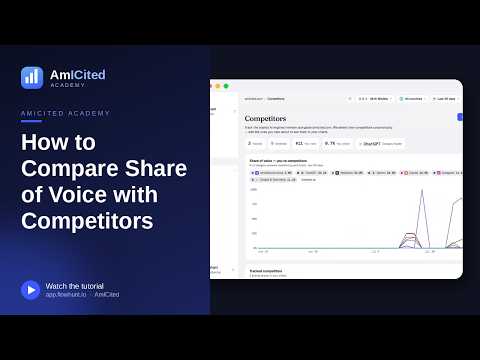 Compare AI Share of Voice with Competitors
Compare your share of AI answers with competitors over time using the AmICited Competitors chart.
Read guide →
Compare AI Share of Voice with Competitors
Compare your share of AI answers with competitors over time using the AmICited Competitors chart.
Read guide →Ready to put it into practice?
Free check · 7-day trial · card required