


Click Waterfall Traffic Analysis
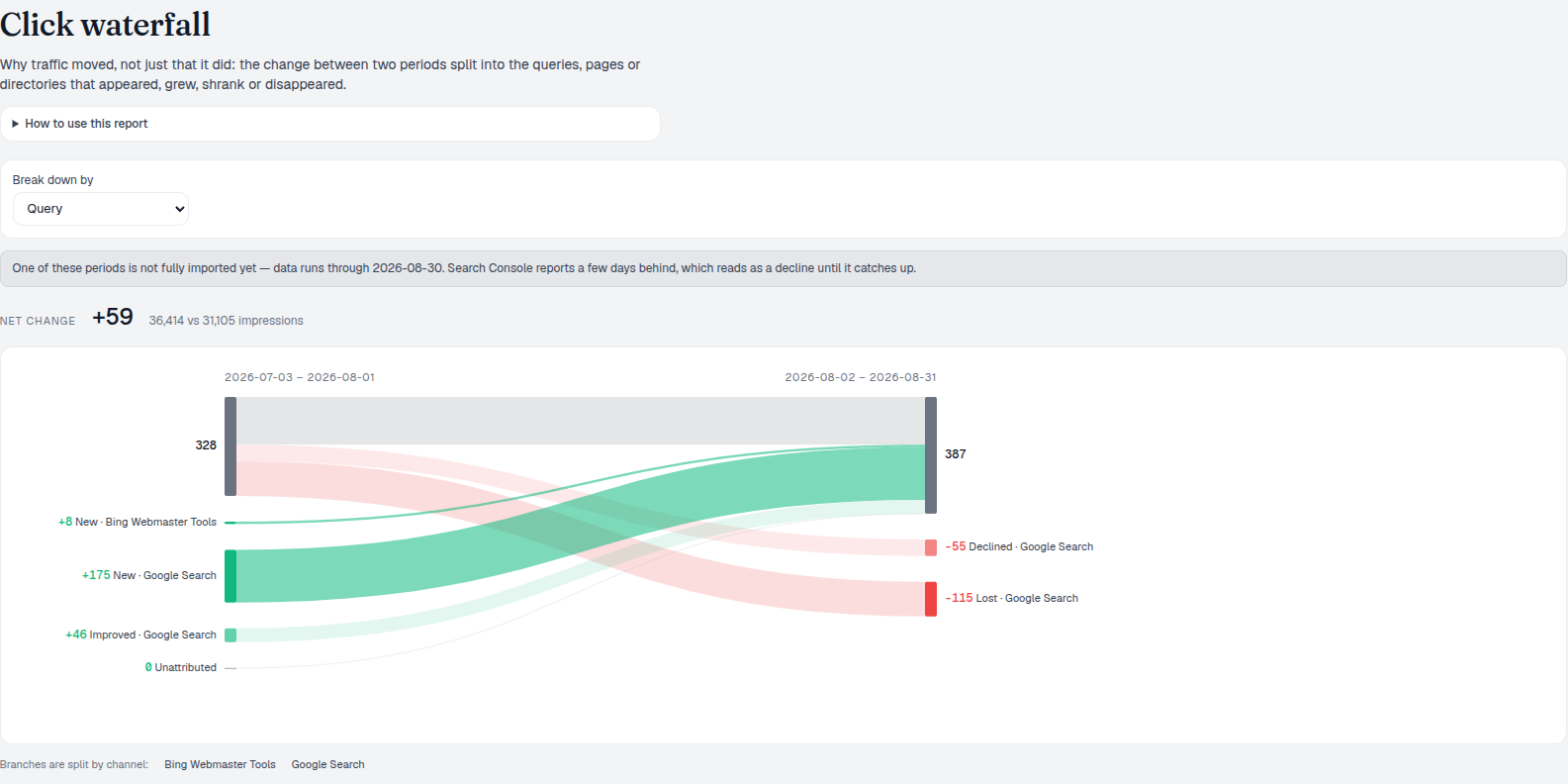
The click waterfall report splits the change between two periods into five buckets — New, Improved, Declined, Lost and Unattributed — that sum exactly to the net change, so nothing about why traffic moved stays hidden inside a total.
Review Lost and Declined Clicks
This is traffic change attribution: turn on Compare and set the prior window, then choose whether to break the change down by query, page or directory. Winning back something you used to have is cheaper than winning something new — so read the losses before the wins.
- Five buckets, exact accounting — New, Improved, Declined, Lost and Unattributed sum precisely to the net change; nothing is hidden.
- Break down by Query, Page or Directory — a change spread over hundreds of queries is often one page or one directory when read that way instead. Paid only ever appears at Query altitude, since page- and directory-level marts carry no landing-page field for it — the report warns when paid is excluded.
- New and Improved as proof of work — if the pages you shipped last period aren’t there yet, they haven’t landed.
- Unattributed, named honestly — the traffic Search Console refuses to name, called out as its own bucket instead of folded into another one.
- Partial-import warning built in — if one of the two periods isn’t fully imported yet, the report tells you before you misread a reporting lag as a decline.
- Comparison isn’t optional here — unlike other reports, Compare can’t be switched off, because the comparison against the prior period is the report itself.
Click Waterfall Report Breakdown
The left bar is the prior period’s total, the right bar is the current period’s total, and the ribbons between them are the buckets. Green ribbons feed the total, red ribbons drain it — and because every entity that existed in either period lands in exactly one bucket, the four ribbons always sum to the net change. Each bucket then expands into its own ranked table: current, prior, the signed change, and impressions for context, largest mover first.
- New — earned this period, had zero in the prior one. A real launch shows up here immediately.
- Improved / Declined — present in both periods, current higher or lower than prior.
- Lost — had clicks in the prior period, has zero now.
- Unattributed — Search Console reports a change in the total that individual rows don’t account for; named instead of hidden.
- Steady and appeared-with-no-clicks, called out — two callouts above the tables count what held steady and what earned impressions but no clicks yet, both excluded from the buckets on purpose.
- The identity always holds — prior total plus gains equals current total plus losses; the diagram can only be read one honest way.
Open Movers in Unified Keywords
Once a query shows up in Lost or Declined, follow it into Unified Keywords to see its organic and paid picture side by side — whether it’s worth a content fix, a bid, or both.
- One row, every channel — organic clicks and position beside paid spend and conversions for the same query.
- Filter to the exact mover — search by keyword text to jump straight from waterfall to detail.
- Decide the fix — content, bid, or both, informed by both channels at once.
Filter Click Waterfall Dimensions
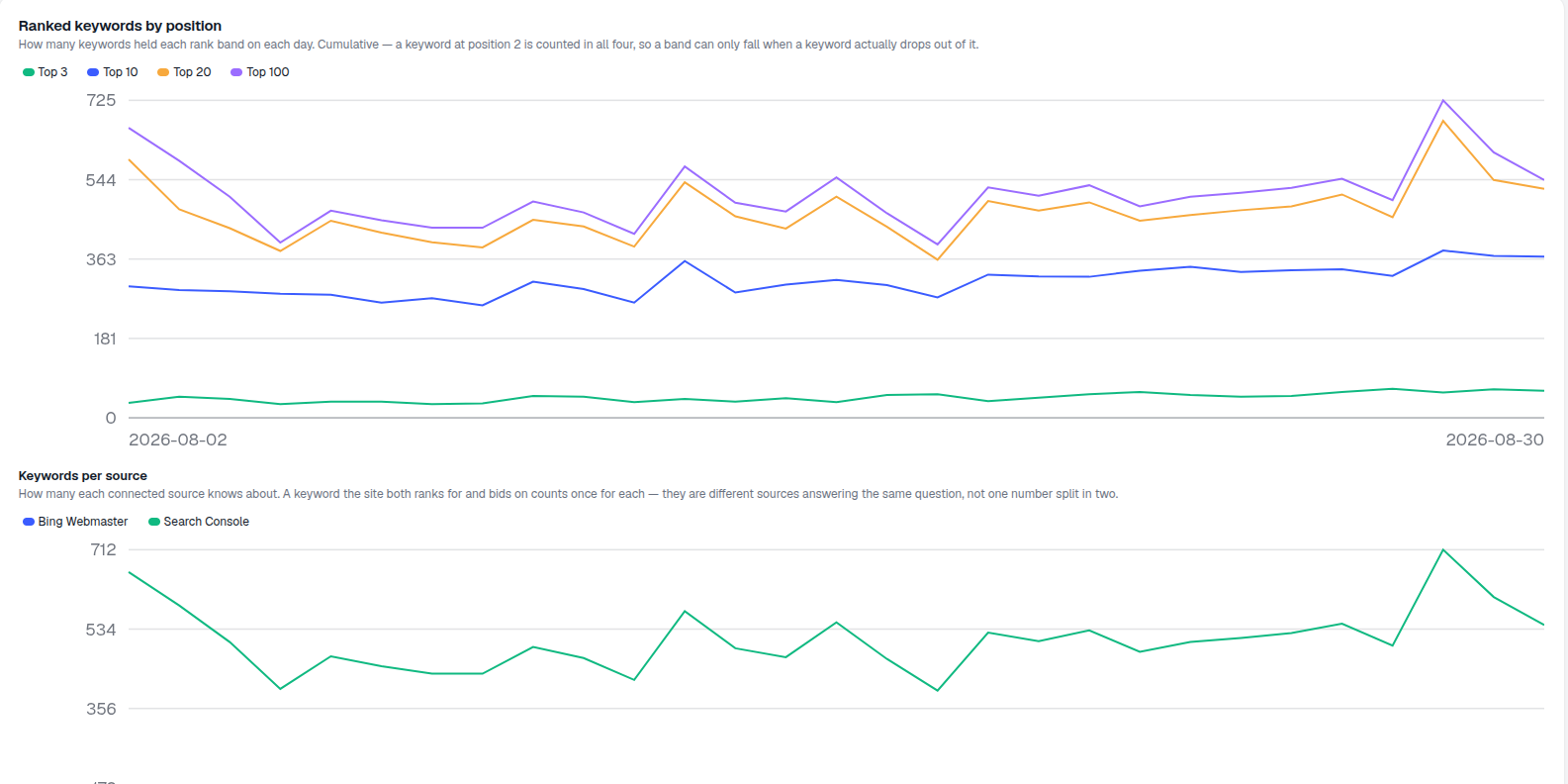
Page- and directory-level marts don’t carry a landing-page or final-URL field for paid clicks, so those two altitudes are organic-only by construction — the report says so rather than pretending paid simply had nothing to show. With more than one platform connected, a bucket can split into per-channel branches, but color still marks the bucket (New, Improved, Declined, Lost), never the platform — a bucket can improve overall while one channel’s branch inside it still declines. A bucket with nothing in it stays on the diagram as a clickable hairline instead of disappearing, so the five-bucket accounting is always visible, and an import-gap warning fires before a reporting lag gets misread as a real decline.
- Paid appears only at Query altitude — Page and Directory are organic-only, and the UI says so when paid is excluded.
- Channel branches, bucket colors — multiple platforms split a bucket into branches, but the color always marks the bucket, never the platform.
- Zero-change buckets stay clickable — an empty bucket renders as a hairline, not a gap in the accounting.
- Import-gap warnings before a misread — an incomplete period, or a missing prior window entirely, is flagged before you mistake a lag for a decline.
buckets that account for every click, exactly
New, Improved, Declined, Lost and Unattributed sum to the net change with nothing left over — end the current window a few days before today, or the reporting delay reads as a decline.
See Directory ViewAnalyze Organic Click Changes
The change between two periods, split into New, Improved, Declined, Lost and Unattributed — by query, page or directory.
Ready to know why your traffic actually moved?
Free check · 7-day trial · card required