


- Unified commerce runs every sales channel (stores, webshop, app, marketplaces) on one platform with one set of inventory, order, price, product and customer data.
- Multichannel means selling in many places, omnichannel means the journey feels connected, and unified commerce is the single-system design that makes that connection reliable.
- Because stock updates at the moment of sale instead of at the next sync, it cuts overselling and lets a web order be returned in a store.
- The trade-off is a large migration and more dependence on one vendor. A simple, working integration stack may not need it.
Where AmICited fits
Mismatched prices and stock across channels also reach AI answers. AmICited’s Shopping report shows which products ChatGPT, Perplexity and Google AI Mode put on product cards for your tracked prompts, with the price and rating each card shows, so you can spot a stale price.
See AI visibility tracking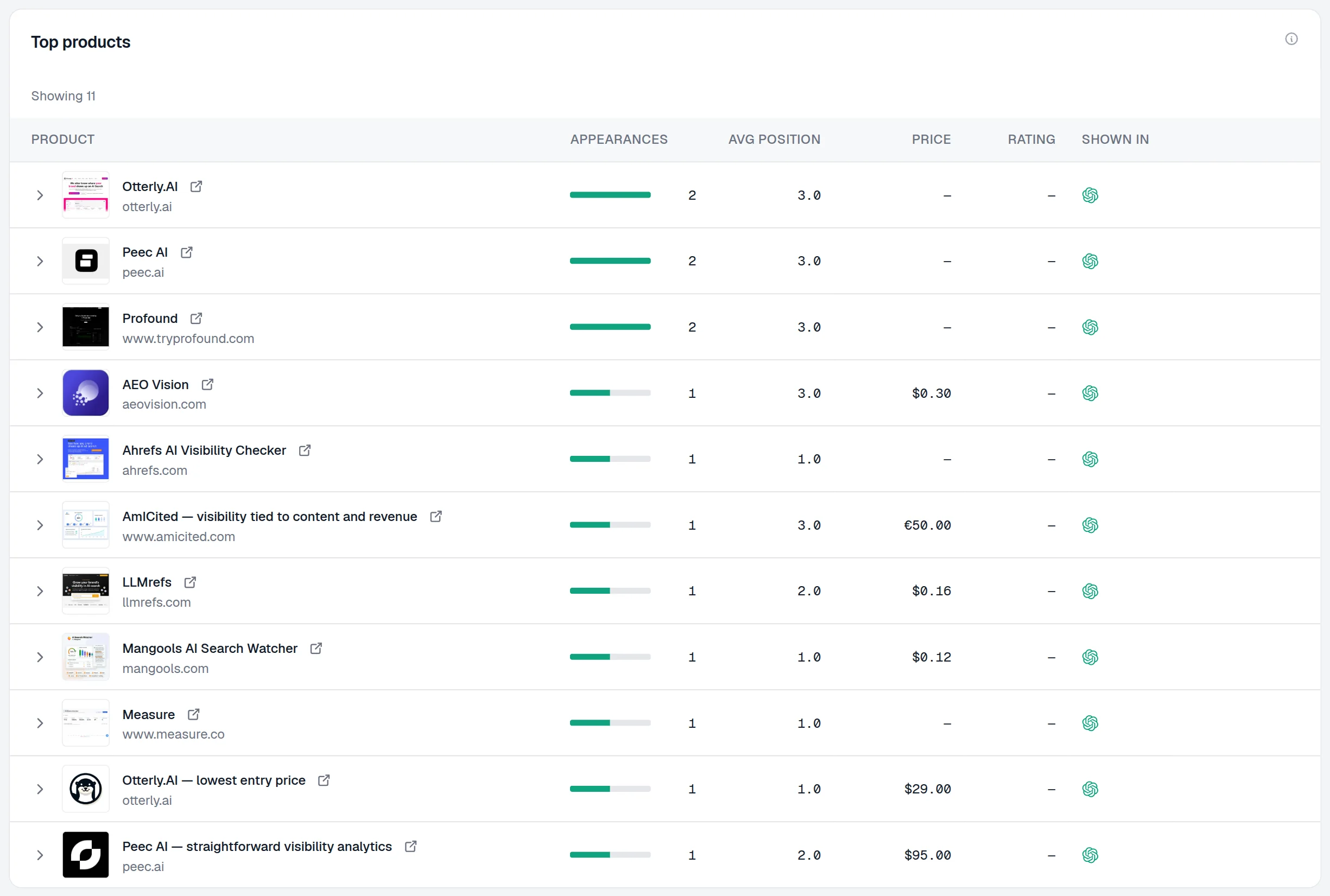
What Is Unified Commerce?
Unified commerce is a way of running retail where every channel you sell through shares one platform and one set of data. Your physical stores, webshop, mobile app, marketplaces and social storefronts all read and write the same inventory counts, orders, prices, product records and customer profiles. Nothing is copied between systems on a schedule, because there is only one system to begin with.
The term comes from retail technology vendors and analysts who needed a word for the step after omnichannel. Retailers that grew channel by channel often ended up with a POS from one vendor, an ecommerce platform from another and a separate order management system holding it together with integrations. Unified commerce replaces that patchwork with a single commerce platform. You see the idea in products like Shopify POS, Adobe Commerce paired with store systems, and enterprise retail suites that sell the POS and webshop as one product.
How Unified Commerce Works
The mechanics come down to a single source of truth. When a customer buys a jacket in a store, the sale writes to the same inventory record the website reads from. The website’s stock count changes at the moment of the sale, not at the next nightly sync.
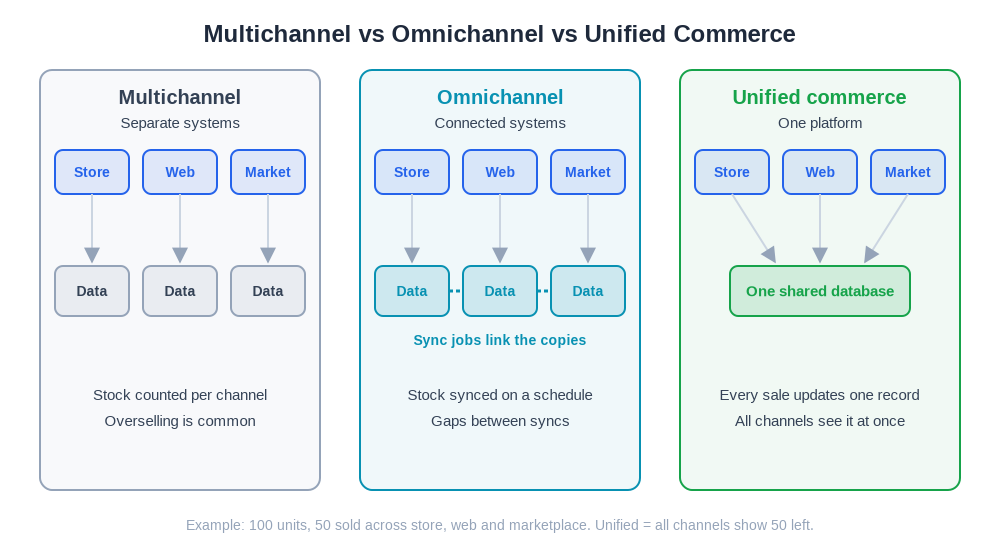
A simple example shows why that matters. Say you have 100 units of one SKU across a store and a warehouse:
- A store sells 12 units on Saturday morning.
- The website sells 30 units the same morning.
- A marketplace sells 8 units.
In a unified system, every channel sees 50 units left by noon. In a connected but separate setup that syncs every few hours, the website may still show 70 units after the store and marketplace sales. If demand is high, you oversell, cancel orders and annoy customers. The same logic applies to prices, promotions, returns and loyalty points.
A unified commerce platform usually covers these layers:
- Product data: one catalog with one set of titles, attributes and images, pushed to every channel.
- Inventory: real-time stock by location, so stores can fulfill web orders and you can offer BOPIS with accurate availability.
- Orders: every order, whatever the channel, lives in one order history that any store or support agent can open.
- Customers: one profile per customer, with online and in-store purchases together.
- Payments and returns: a web order can be returned in a store and refunded right away.
Some platforms reach this with a headless commerce architecture: one back end serves APIs, and each channel is just a different front end on the same data.
Multichannel vs Omnichannel vs Unified Commerce
These three terms get used interchangeably, but they describe different things. Multichannel ecommerce means you sell in several places. Omnichannel means the customer experience across those places feels connected. Unified commerce is the system design that makes the connected experience reliable.
| Multichannel | Omnichannel | Unified commerce | |
|---|---|---|---|
| Core idea | Sell in many channels | Connect the customer journey across channels | Run all channels on one platform |
| Systems | Separate per channel | Separate, linked by integrations | One platform, one database |
| Inventory view | Per channel | Synced, often with delay | Real time, shared |
| Customer record | Duplicated per channel | Merged after the fact | Single profile from the start |
| Cross-channel returns | Hard or not offered | Possible, often manual | Standard |
| Main risk | Overselling, inconsistent prices | Sync failures, integration upkeep | Migration cost and vendor lock-in |
The honest trade-off is that unified commerce means a large migration. You retire systems, retrain staff and depend more on one vendor. Retailers with simple operations, one channel or a working integration stack may not need it.
Unified Commerce and AI Search
AI shopping answers in ChatGPT, Perplexity, Gemini and Google AI Mode lean on product feeds, structured data and the product pages they can crawl. When price and stock differ between your website, your Google Merchant Center feed and your marketplace listings, an assistant can quote a stale price or recommend an item you no longer have. A single product and inventory record makes those mismatches less likely.
It does not make you visible in AI answers by itself. That still depends on whether engines mention and cite your brand, which you can measure with AI visibility tracking.

Stay Updated on AI Visibility Trends
Get the latest insights on AI mentions, brand monitoring, and optimization strategies.
Best Practices for Unified Commerce
- Map every system that holds inventory, orders or customer data before you pick a platform, so you know what has to be replaced and what only needs an integration.
- Migrate inventory and orders first. Real-time stock is where unified commerce pays back fastest.
- Give each store a fulfillment role (ship-from-store, pickup, returns) and test it with live stock before you advertise it.
- Keep one product data owner. A unified platform still produces bad data if three teams edit the same catalog with different rules.
- Track channel-level profit, not just revenue, so you can see whether new channels add margin.
- Plan an exit path: check how you can export products, orders and customers if you ever change vendors.
Common Unified Commerce Mistakes
The most common mistake is calling an integration project unified commerce. If your POS and webshop still keep their own stock tables and sync through middleware, you have a better omnichannel setup, not a unified one, and the oversell risk remains during sync gaps.
Other mistakes are operational. Retailers switch platforms but keep channel-specific pricing spreadsheets, so prices drift again. Store staff are not trained to handle web returns, so the feature exists on paper only. And some teams migrate everything at once instead of channel by channel, which turns a single failed cutover into an outage across every way customers can buy from you.