



How to Check WebMCP Readiness
Use the WebMCP check in AmICited's Agent Accessibility audit to see whether your site exposes callable tools that AI agents can use directly.
7 min read
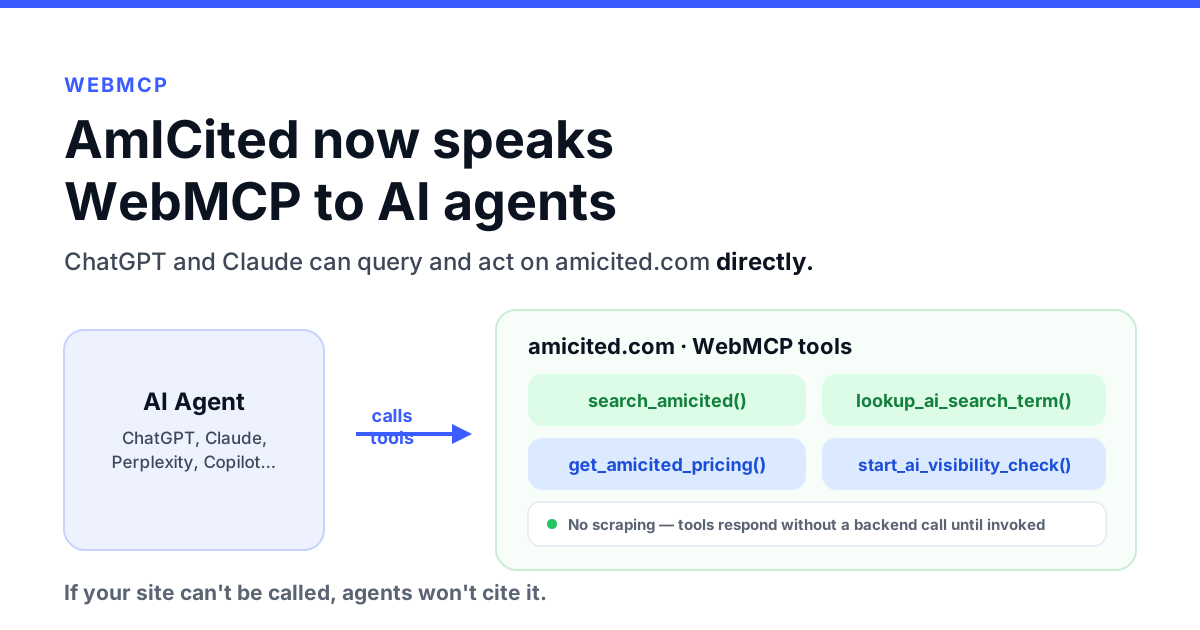
AmICited now exposes callable WebMCP tools so ChatGPT, Claude, and other AI agents can search, look up terms, and check pricing directly on our site, no scraping required.
start_ai_visibility_check() is deliberately side-effect-free: it returns a sign-up URL rather than creating an account or submitting a form on its own.llms.txt file: llms.txt is a static manifest for crawlers, WebMCP is a live, callable interface for agents already on the page.We spend a lot of time telling brands to make themselves legible to AI agents: clean data, structured content, answers an agent can actually retrieve. WebMCP is the browser-native version of that advice, and it felt wrong to keep telling customers to do it without doing it ourselves.
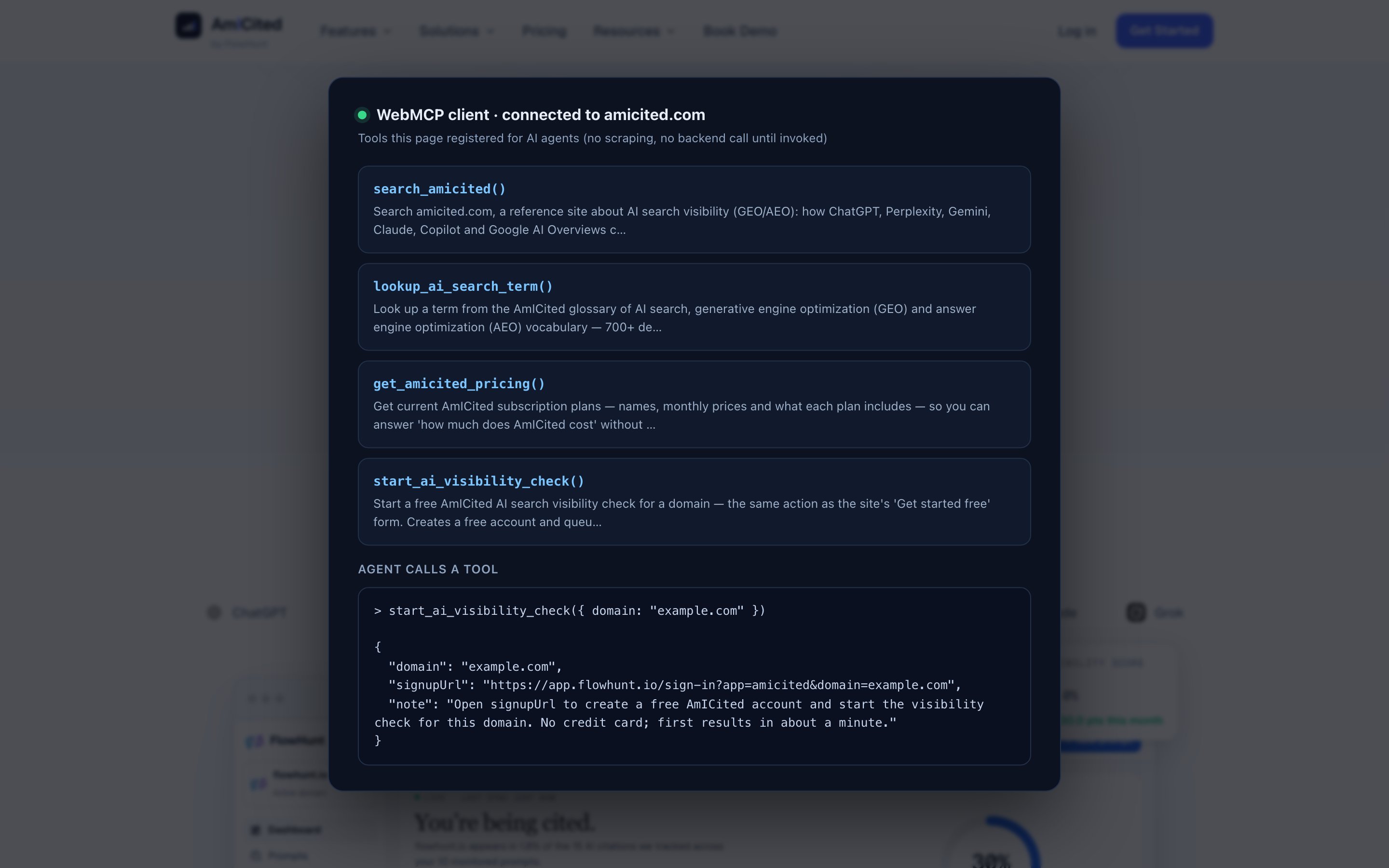
So amicited.com now exposes a small set of callable tools through navigator.modelContext (the browser API WebMCP defines). If you’re chatting with an AI assistant that supports WebMCP, whether that’s an early Chrome origin trial or a polyfill like @mcp-b/global, and you land on our site, the agent can call these tools directly instead of reading and guessing from the rendered page.

Track how AI chatbots mention your brand across ChatGPT, Perplexity, and other platforms.
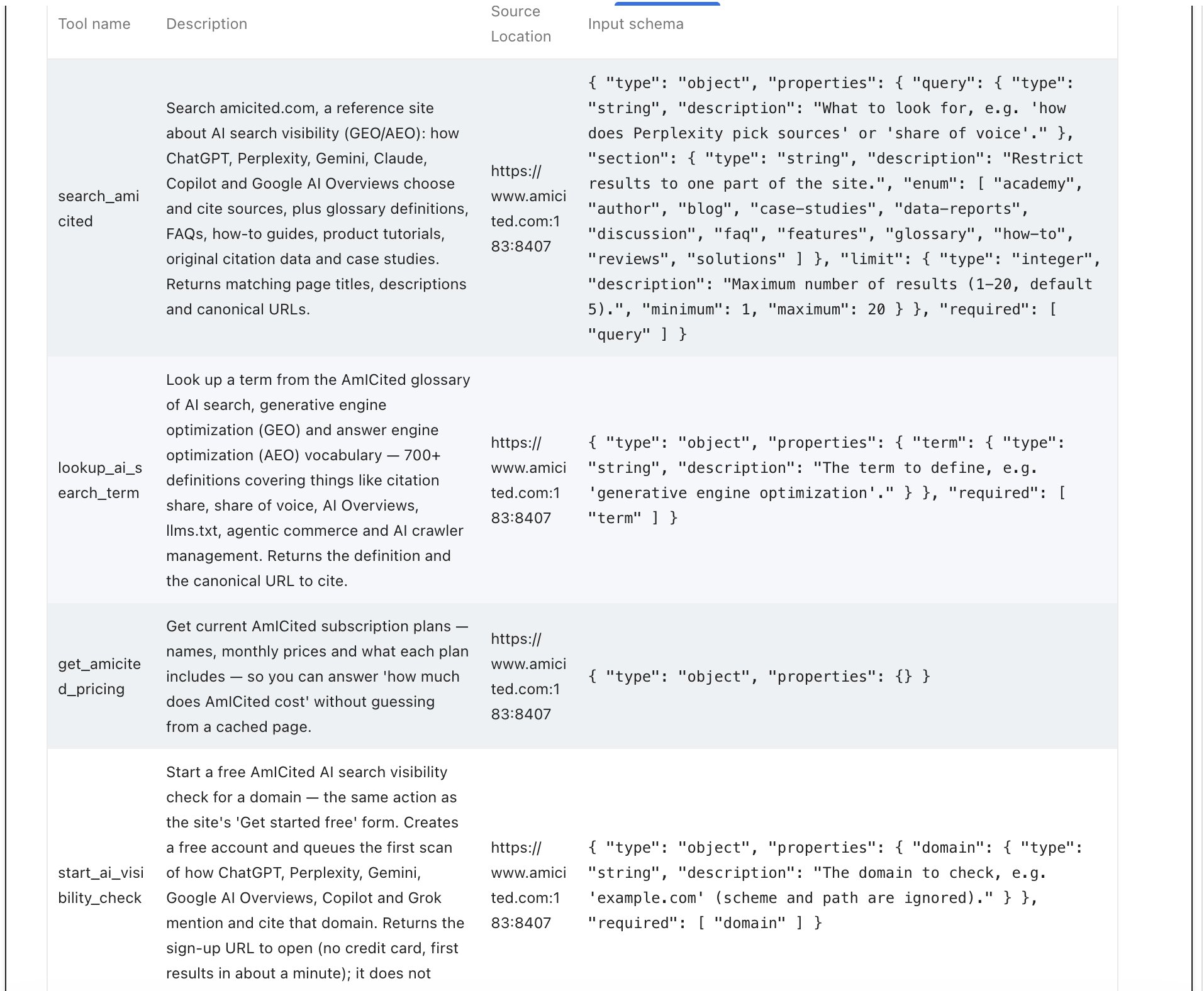
Each tool is read-only or side-effect-free, no tool on the page can charge a card or delete data, and each ships with a JSON schema so an agent knows exactly what to send.
search_amicited()Full-text search across amicited.com: glossary definitions, academy guides, blog posts, case studies, data reports, FAQs, and more. Takes a query (required), an optional section to restrict results (glossary, academy, blog, case-studies, data-reports, faq, how-to, reviews, solutions, discussion, author, features), and an optional limit (1–20, default 5). It returns matching page titles, descriptions, and canonical URLs, ranked by a weighted scorer that favors title and tag matches and boosts reference sections like the glossary.
lookup_ai_search_term()A direct line into our 700+-term glossary of AI search, GEO, and AEO vocabulary. Takes a term (required, e.g. "generative engine optimization") and returns the definition plus the canonical URL to cite.
get_amicited_pricing()No input required. Returns our current plan names, monthly prices, and what each plan includes, sourced from the same data that drives our pricing page, so an agent can answer “how much does AmICited cost” without relying on a stale, cached copy of the page.
start_ai_visibility_check()Takes a domain (required, e.g. "example.com", scheme and path are ignored) and does exactly what our “Get started free” form does: normalizes the domain and builds a sign-up URL (https://app.flowhunt.io/sign-in?app=amicited&domain=<domain>) that creates a free account and queues the first visibility scan. It does not submit anything or create an account itself; it hands back the URL and a note explaining what opening it will do. That boundary is intentional, the same way Shopify’s WebMCP rollout deliberately left payment out of its “act” tools: an agent can prepare an action, but a human (or an explicit confirmation step) still triggers anything that creates state.
We also publish an llms.txt file, and it’s easy to conflate the two, so it’s worth being precise about the difference:
Think of llms.txt as the index and WebMCP as the desk clerk: one tells an agent what exists, the other lets it actually ask a question and get an answer right now.
Get the latest insights on AI mentions, brand monitoring, and optimization strategies.
WebMCP is still early: a W3C Web Machine Learning Community Group draft, with editors from Chrome and Edge, and support landing incrementally in browsers. But the direction is the same one we’ve written about since Shopify shipped WebMCP to thousands of storefronts: agents are moving from reading pages to calling tools, and sites that only offer the former will be slower and less reliable for an agent to use, which means less likely to be the source it trusts.
A few things worth doing now, whether or not you adopt WebMCP itself:
Being cited by an AI engine and being callable by an AI agent are becoming two separate, both-necessary things. We shipped WebMCP on amicited.com because it’s the fastest way to be honest with customers about what “AI-agent-ready” actually looks like in practice, not just in a slide. If you want to see where your own brand stands in AI answers today, that’s exactly what Am I Cited is built to measure.
Arshia is an AI Workflow Engineer at FlowHunt. With a background in computer science and a passion for AI, he specializes in creating efficient workflows that integrate AI tools into everyday tasks, enhancing productivity and creativity.

Track how ChatGPT, Perplexity, Gemini, and Claude cite your brand, and see whether your own site is structured for AI agents to query directly.
Use the WebMCP check in AmICited's Agent Accessibility audit to see whether your site exposes callable tools that AI agents can use directly.
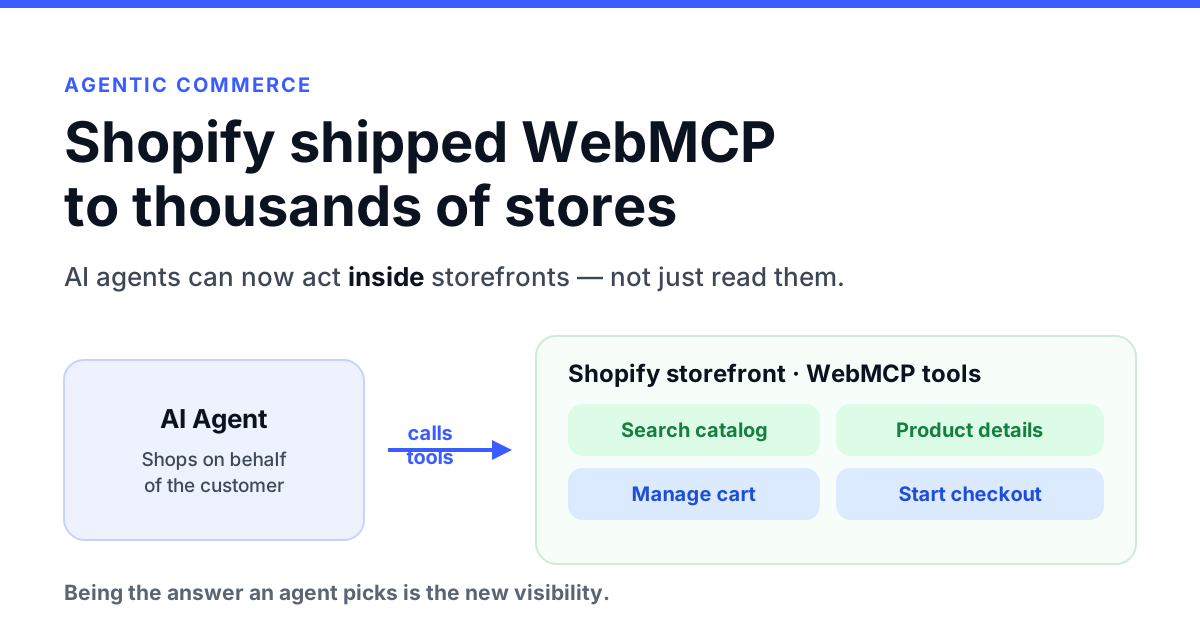
Shopify quietly shipped WebMCP to thousands of storefronts, letting AI agents act inside stores. Here's what it means for AI visibility and brand discovery.
Check whether AI agents can actually read, navigate and transact on your site — accessibility tree, llms.txt, WebMCP and agentic commerce readiness in one audit...
Cookie Consent
We use cookies to enhance your browsing experience and analyze our traffic. See our privacy policy.