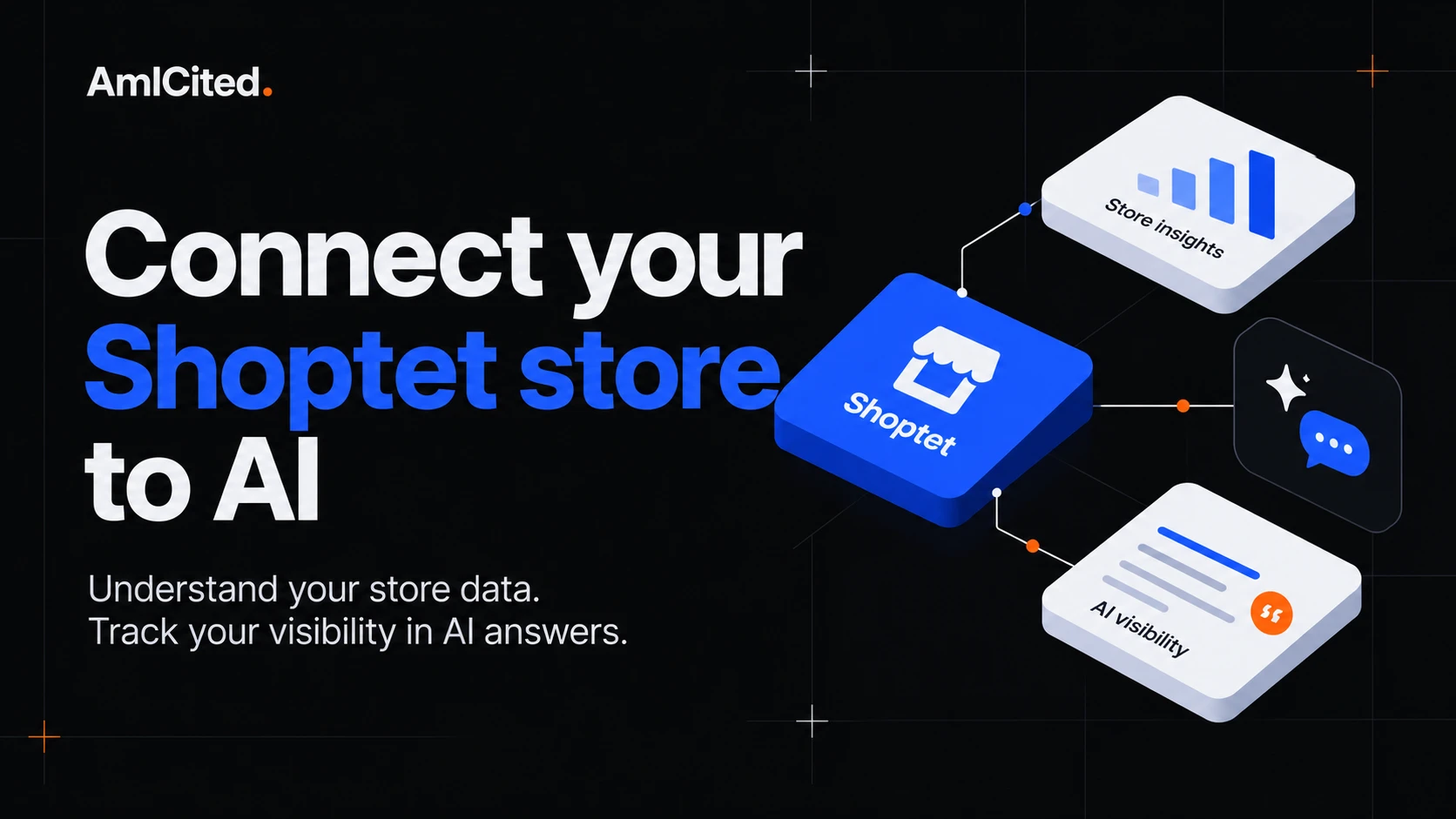
Connect Shoptet to AmICited to analyze your order history, product performance, repeat customers and marketing results in one place. Then connect AmICited’s MCP server to Claude, Codex or a FlowHunt agent and ask questions about that data in conversation. Shoptet’s own MCP server adds a separate route to supported store operations.
This guide is for store owners who want to move from “How many orders did we get?” to “What drove performance, which customers return, and where should we invest next?” It covers the analytics, the connection steps, and practical questions you can give an AI agent.
Key takeaways
- Import the order history you need. AmICited’s documented Shoptet connection can import history back to the first order, supporting detailed analysis across orders, products and customers.
- Judge growth by what the store keeps. Configure product costs, payment fees and other expenses before using contribution or profit to make decisions.
- Bring campaigns into the same review. Connect advertising and search sources to compare delivery, spend and attributed estimates with actual shop outcomes.
- Ask follow-up questions through MCP. An agent can investigate a sales change, inspect repeat purchase behavior and explain the reports behind its answer.
- Use the data for marketing mix planning. Budget scenarios and formal modeling need stated assumptions; a channel correlation does not establish incremental sales.
Understand the three connections
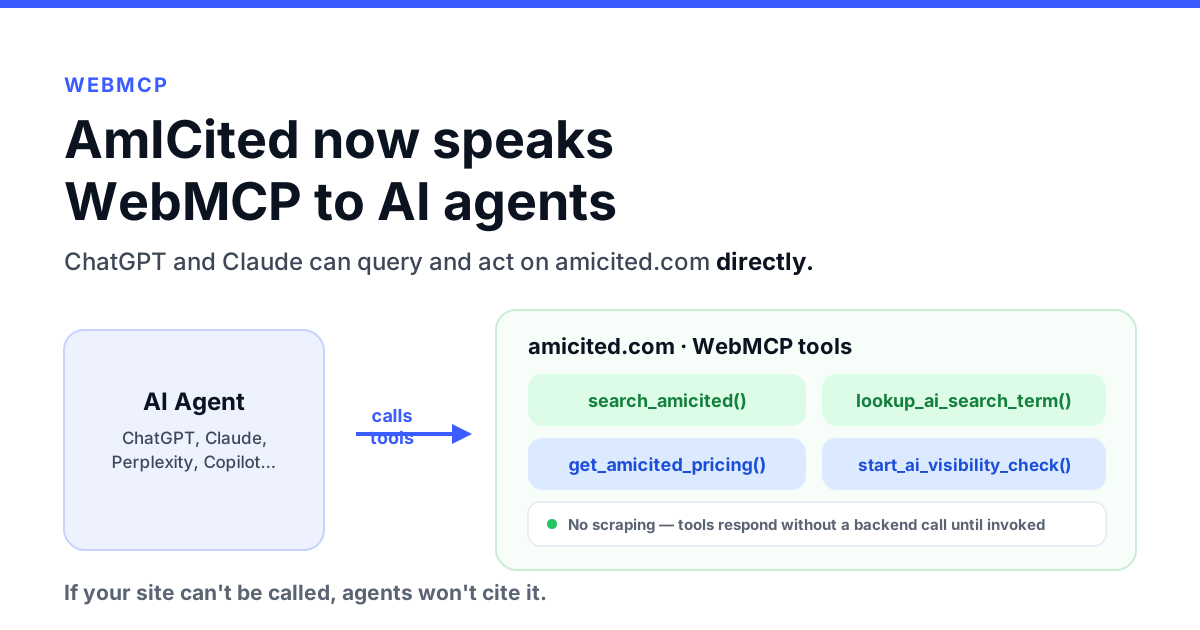
MCP, or Model Context Protocol, lets an AI application discover and call external tools. In this setup, different connections do different jobs:
| Connection | What it provides | Where to start |
|---|---|---|
| Shoptet → AmICited | Imported order history, products and customer relationships for analytics | AmICited Data Sources → Eshops |
| AmICited MCP → your AI client | Conversational access to connected commerce, marketing, search and visibility reports | Add the AmICited MCP server |
| Shoptet MCP → your AI client | Supported store operations, according to tariff and permissions | Install the Shoptet MCP add-on |
For historical analytics, connect the store to AmICited first. For a conversation about reports, add AmICited MCP to your preferred client. Add Shoptet MCP as well when the task needs a supported operation directly in the store.
As checked on 25 October 2026, Shoptet Support lists its MCP service for Basic, Business, Profi, Enterprise, trial stores and Premium; Free is excluded. Premium exposes a broader tool set. Standard paid tariffs also support some writes, including blog publishing. The MCP add-on listing says the add-on is free at least through the end of 2026, with tariff-specific limits afterward.
That broader MCP availability does not change the documented Premium-only Private API requirement for AmICited’s Shoptet import. AmICited ecommerce integrations require Pro or above. See the ecommerce connection documentation for current requirements.

Ready to Monitor Your AI Visibility?
Track how AI chatbots mention your brand across ChatGPT, Perplexity, and other platforms.
Analyze your Shoptet orders in detail
AmICited can process the Shoptet order data imported through the connection, including the full available history when you select the longest import option. The benefit is a consistent reporting layer across sales, costs, products and customer behavior, rather than a separate spreadsheet for each question.
The Sales Engine follows daily revenue, orders, average order value, cancellations, cost components and profit. Its daily profit-and-loss table lets you inspect the components behind a change.
A busy week can produce more orders while leaving less profit. Discounts may reduce order value, the product mix may shift toward lower-margin items, or shipping and acquisition costs may rise. Ask the agent to break that change down before choosing a response:
Compare the last 30 complete days with the previous 30. Explain changes in earning orders, net revenue, average order value and profit. Separate changes in volume from changes in value and cost. State the imported coverage and any missing inputs.

Order Mix adds another layer: order-status classifications, first versus later orders, buyer type, payment method, carrier and measured versus assumed purchase costs. It helps answer why the headline total changed. A cancelled order, a rejected payment and a realized sale should not all count as equivalent revenue.
The relevant completion condition is a reconciled explanation: the agent should name the period, the orders included, the status rules and the report used. “Sales fell” is an observation; “earning orders fell while order value held steady” is a much more useful starting point.
See which products generate value after costs
Revenue rankings show what sells. Contribution analysis shows what remains after the costs included in the calculation. Together they help decide which products deserve promotion, a pricing review or better merchandising.
Use the product reports to compare revenue, units and contribution. Use Cost Mix to inspect the ladder from revenue through product costs, fulfillment, payment fees, advertising and configured overhead. Ask about the cost basis alongside the ranking:
Rank products by contribution over the last 90 days. Exclude shipping and other non-product line items. Show revenue, units and measured cost coverage, and flag rankings that depend on assumed purchase costs.

You can go beyond individual best sellers. Product bundles examine what is bought together; entry-product analysis examines which first purchases lead to later orders. That creates a useful marketing question: should the next acquisition campaign promote the biggest immediate sale, or a product associated with stronger repeat purchasing?
Treat that as a question to investigate. A repeat-purchase association can inform a test without proving that advertising a particular entry product will cause the same behavior in a new audience.
Stay Updated on AI Visibility Trends
Get the latest insights on AI mentions, brand monitoring, and optimization strategies.
Understand repeat customers, retention and lifetime value
Shoptet’s order history becomes more useful when you can follow the same customer across purchases. AmICited supports this with anonymised identifiers as well as full customer data, depending on the import choice.
Customers and Retention groups customers into acquisition cohorts and segments based on recency, frequency and monetary value, often shortened to RFM. That helps distinguish a shop gaining first-time buyers from one building a returning customer base.

Repeat Purchase adds the time between orders, repeat buying by product, and value at different positions in a customer’s order history. Lifetime Value follows cumulative value after acquisition and observed cohort payback where the required cost and spend inputs exist.
These reports help a store owner ask:
- Are returning customers contributing more or less revenue than before?
- How long does a typical customer take to place a second order?
- Which first-purchase products are associated with stronger retention?
- Which valuable segments have gone quiet?
- How much acquisition cost has a mature cohort actually paid back?
Give the agent enough history for the business’s purchase cycle. A 30-day window may be useful for sales monitoring and inadequate for a store whose buyers reorder twice a year. Compare cohorts at the same age and retain customer counts beside rates.
Review repeat purchasing over the last 12 months. Separate new and returning customer revenue, show typical first-to-second-order timing, and identify entry products with enough customers to support a comparison. Keep young cohorts separate from mature ones.
For a reactivation plan, Replenishment can identify expected reorder gaps. Analysis can work with anonymous customer identifiers; contacting those people requires an appropriately permitted source of identity and a separate campaign workflow.
Compare campaigns with what the store actually earned
Connect the store’s advertising accounts to the same AmICited domain to bring spend and delivery into the review. Add search sources when you want organic demand alongside paid activity. The ad-platform setup guide explains the supported connections.
Cross-source Revenue Attribution places channel delivery, attribution estimates and shop outcomes alongside each other. The important distinction is visible in the report: spend and clicks are measured inputs; attributed orders and revenue may be estimates with a stated method and confidence.

The blended acquisition view relates included paid spend to shop-identified new customers and realized revenue. Campaign reporting and CAC/ROAS views add detail where matching data supports it. CAC means customer acquisition cost; ROAS means return on advertising spend. Neither a platform’s claimed conversion nor a blended ratio identifies which channel caused an individual purchase.
With Meta connected, AmICited also provides Profit-true ROAS, new-customer CAC, audience efficiency, dayparting and Profit Scaling. These let you investigate whether spend is aligned with profitable commerce and whether higher spending is associated with enough additional customer value.
Review our connected campaigns for the last 90 days. Show spend, tracked conversions, attributed estimates and realized shop outcomes separately. Compare acquisition cost with mature customer contribution where available. List missing platforms and currency or matching problems before recommending a budget review.
This is how the conversation becomes useful: “Which campaign has the highest reported ROAS?” can lead to “Does that still look attractive after cancellations, product costs and returning-customer behavior?”
Use Shoptet data for marketing mix analysis and modeling
A store owner can use the connected order history as the business-outcome foundation for marketing mix planning: how to divide effort and budget across acquisition channels, retention, organic search and product promotion.
Start with a concrete decision. Perhaps a campaign brings many first orders, but the associated acquisition periods show weak repeat value. Another product category has fewer first purchases and better observed contribution over time. The useful next step may be a controlled budget test, a different product focus or a retention experiment, rather than simply spending more on the channel with the biggest revenue claim.
AmICited supplies several inputs for that work:
| Planning question | Relevant evidence |
|---|---|
| What outcome should we optimize? | Realized revenue, contribution, profit or shop-identified new customers |
| What did marketing deliver? | Connected channel and campaign spend, impressions and clicks |
| Did customer quality change? | Repeat purchase, mature cohorts, entry products and lifetime contribution |
| Did demand move with paid activity? | Paid–organic associations, search demand and order timing |
| Can we afford a larger acquisition cost? | Cost coverage, contribution value, observed payback and scaling diagnostics |
Formal marketing mix modeling (MMM) is a further statistical step. It uses time-series outcomes, media activity and other explanatory variables to estimate channel effects and explore budget allocation. Google’s Meridian introduction describes a modeling process that includes data preparation, lag and saturation assumptions, model assessment and budget optimization.
For a Shoptet store, imported order history can supply the outcome series, while connected campaigns supply marketing inputs. An analyst or suitably equipped agent can help organize those series, record promotions and other relevant changes, and prepare modeling or scenario work. Weather, holidays, seasonality and stock constraints may also need consideration, depending on the business and available data.
Keep three outputs distinct: a report describes observed performance; a scenario calculates what follows from assumptions; a fitted model estimates relationships under a specified method. The verified AmICited cross-source reports support analysis and modeling preparation. They do not, by themselves, establish a complete fitted causal MMM or a guaranteed optimal budget.
Prepare a marketing mix analysis brief from our connected Shoptet and advertising data. Propose a common weekly outcome and channel dataset, list missing history and controls, and explain which budget questions the evidence can support. Separate report observations, scenario assumptions and work requiring a fitted model. Do not change campaign budgets.
That gives the owner something actionable: a documented decision, a usable dataset where available, and an explicit path from observed performance to a budget experiment.
How to connect Shoptet to AmICited
Use the documented store import to unlock historical analytics. You need an AmICited workspace administrator, an eligible plan, and access to Shoptet’s Private API.
- Create the Shoptet token. In Shoptet administration, open Connections → Private API, click Add, enter a description and leave the required endpoint groups enabled as described in the integration guide. Reveal the token and confirm with your password.
- Connect the store. In AmICited, open Data Sources → Eshops, choose Shoptet, paste the API token and click Connect Shoptet. The token includes the e-shop ID.
- Map it to the correct domain. Use Select account on the connection card so the orders belong to the same domain as the marketing and visibility reports you want to analyze.
- Choose customer identity handling. Before the first import, select anonymised or full customer data. Anonymous identifiers support repeat-customer analytics; full identity is a separate choice. Changing this later requires reconnecting.
- Select order history. Choose a period suited to your questions. The longest documented option reaches the store’s first order. Review projected rows and the quoted import cost before confirming.
- Configure the reporting rules. Set currency, order-status classifications, payment methods, product purchase costs, shipping, packaging and other cost periods. Add overhead and custom costs where relevant.
- Check readiness. Inspect the connection’s covered dates, sync state and missing fields, then review Data health. Add your advertising and search sources to the same domain for cross-source analysis.
The connection is ready for a useful first review when recent sales reconcile with Shoptet, imported history covers the intended window, and the cost basis is clear. A missing cost input must remain missing or explicitly assumed; it is not proof of a zero expense. Refund and credit-note availability should also be checked for the source.
See the full ecommerce connection guide for the import, identity choices, fees and settings.
How to add MCP to Claude
For analytics over the imported data, add AmICited MCP. Add Shoptet MCP separately if you also want direct store tools.
- Open Claude’s connector settings.
- Click + → Add custom connector and name it AmICited.
- Enter the URL below, add the connector, then click Connect.
- Complete OAuth sign-in and select your AmICited workspace. Start with read access for reporting.
- Enable the connector in your conversation’s tools menu.
https://api.flowhunt.io/mcp/amicited
Ask: “List my AmICited domains and check whether Shoptet data is connected for my store.” Confirm the result before requesting a performance review. AmICited MCP requires an eligible plan, Editor permissions or higher, and a positive credit balance; the MCP connection guide documents these requirements.
For direct Shoptet access, install the appropriate MCP add-on first, then use Shoptet’s official Claude connector and complete authorization. The server address is https://mcp.shoptet.com/mcp. Check the store and available tools after sign-in. Claude organization settings may require an administrator to enable connectors.
How to add MCP to Codex
With Codex CLI installed, add AmICited’s remote MCP server and sign in:
codex mcp add amicited --url https://api.flowhunt.io/mcp/amicited
codex mcp login amicited
Complete the browser authorization and select the correct workspace. To add direct Shoptet tools as well, install Shoptet’s MCP add-on and run:
codex mcp add shoptet --url https://mcp.shoptet.com/mcp
codex mcp login shoptet
Check the configuration:
codex mcp list
Inside Codex, use /mcp to inspect active servers. These commands follow
OpenAI’s official MCP guidance and the services’ own connection instructions. Adding both servers does not transfer permissions between them; each has its own authorization.
Start a conversation with: “Use AmICited to check the imported Shoptet history and connected campaign sources. Give me a read-only weekly briefing with the reports and dates behind each conclusion.”
How to connect MCP to a FlowHunt agent
FlowHunt’s Custom MCP Client guide documents connecting an external MCP server as an agent tool:
- Open your flow and select its AI Agent or Deep Agent component.
- In Tools, click + Add Tool, search for MCP Client, and select it.
- Open Edit Servers and add
https://api.flowhunt.io/mcp/amicitedfor AmICited analytics. Select the compatible HTTP transport for that endpoint. - Configure authentication. Use Advanced mode where OAuth configuration or authorization headers are required, following the server’s supported authentication method.
- Save, give the tool a descriptive name such as AmICited store analytics, then click Add with Config.
- Run a small test: list domains, select the store and check imported coverage before requesting a report.
To use direct Shoptet operations, configure a separate MCP server entry for https://mcp.shoptet.com/mcp and its OAuth authorization. Confirm that your FlowHunt configuration completes Shoptet’s authorization and exposes the required tools before relying on that path. This article does not claim a tested end-to-end Shoptet OAuth deployment in FlowHunt.
Give the agent a clear operating instruction: identify the store and period, check missing data, cite the reports used, distinguish estimates from measured orders, and return proposed actions for review. Keep credentials in connection settings, outside prompts and shared documents.
Turn the reports into an ongoing AI conversation
Once the store and marketing sources are connected, the owner can ask follow-up questions without rebuilding the analysis from scratch:
What changed in our Shoptet performance last week? Start with orders and revenue, then inspect contribution, campaign spend and new versus returning customers. Compare equal periods and show the evidence for the three largest changes.
Follow with “Which products explain the change?”, “Are those customers coming back?”, or “What should we test next month?” The agent can use the relevant report tools to investigate each question rather than relying on a static summary.
Bring AI visibility into the same review too. Use profitable products and valuable entry categories to choose buyer questions for prompt tracking. Inspect whether your store is mentioned and which pages are cited. That connects commercial priorities to the next content investigation without claiming that one tracked prompt caused a particular order.
Begin with a read-only briefing. The first useful outcome is an explanation you can verify, followed by a short list of decisions or tests. Content publication, customer outreach and budget changes remain separate actions.
Sources and verification
Product coverage was checked on 25 October 2026 against AmICited MCP report definitions, the linked product documentation and official setup sources. Screenshots are existing repository report captures, included to explain the interface; they are not fresh captures from a Shoptet store or customer-result claims. Example prompts describe tasks to run after connecting your own data.
- AmICited: Ecommerce stores and MCP connection guide — import, history, identity and client setup.
- Shoptet: MCP support and MCP add-on — tariff access and installation.
- OpenAI: Model Context Protocol — Codex server management and OAuth.
- FlowHunt: Custom MCP Client — configuring an agent’s MCP tool.
- Google: An introduction to Meridian — formal MMM scope and workflow. Updated 9 July 2026. All external sources accessed 25 October 2026.
Choose your next report
- Sales Engine — inspect daily orders, revenue and costs.
- Customers and Retention — understand customer segments and repeat behavior.
- Lifetime Value — examine value and payback over time.
- Cross-source Revenue Attribution — compare marketing delivery with shop outcomes and stated estimates.
- Shoptet integration — review the store connection before starting your first briefing.
 LinkedIn